Lyn's Portfolio

Hi, I'm Shu Lyn.

Now I'm an instructional designer and L&D project manager with 4 years in learning and development in the semiconductor industry. I run training end to end: working with stakeholders on what's needed, designing interactive courses, trying new approaches, and using feedback and data to improve results.

4 yearsin learning and development
~130courses delivered
2,000employees in Malaysia and overseas
Portrait of Shu Lyn smiling, wearing a black blazer
Open to new roles

My path so far. Tap a stop.

Have a course that people skip? Let's talk.

Back to all work

Virtual Law Library

An interactive course on Section 17A of Malaysia's anti-corruption law, built as a law book staff can open, explore and come back to.

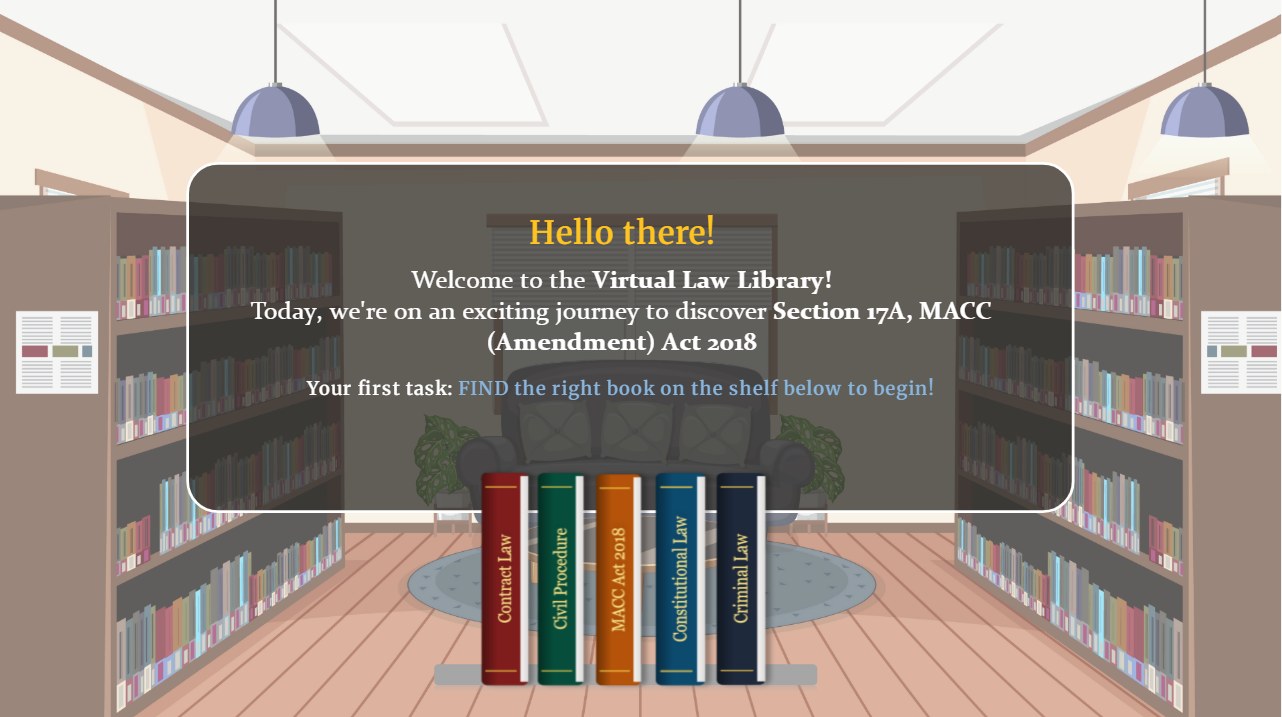
Opening screen: a library with five law books on a shelf
RoleInstructional design, storyboard, Storyline build, Chinese version
ToolsArticulate Storyline, Canva, Gemini
AudienceAll staff, including overseas
LanguagesEnglish and Chinese
Headline resultSkip-through dropped from 57.1% to 0%

The brief

The old course was two lecture videos with nothing to click or do, and many staff clicked straight through. The goal: make a heavy legal topic something people actually read, and can look up again later.

Step into the library

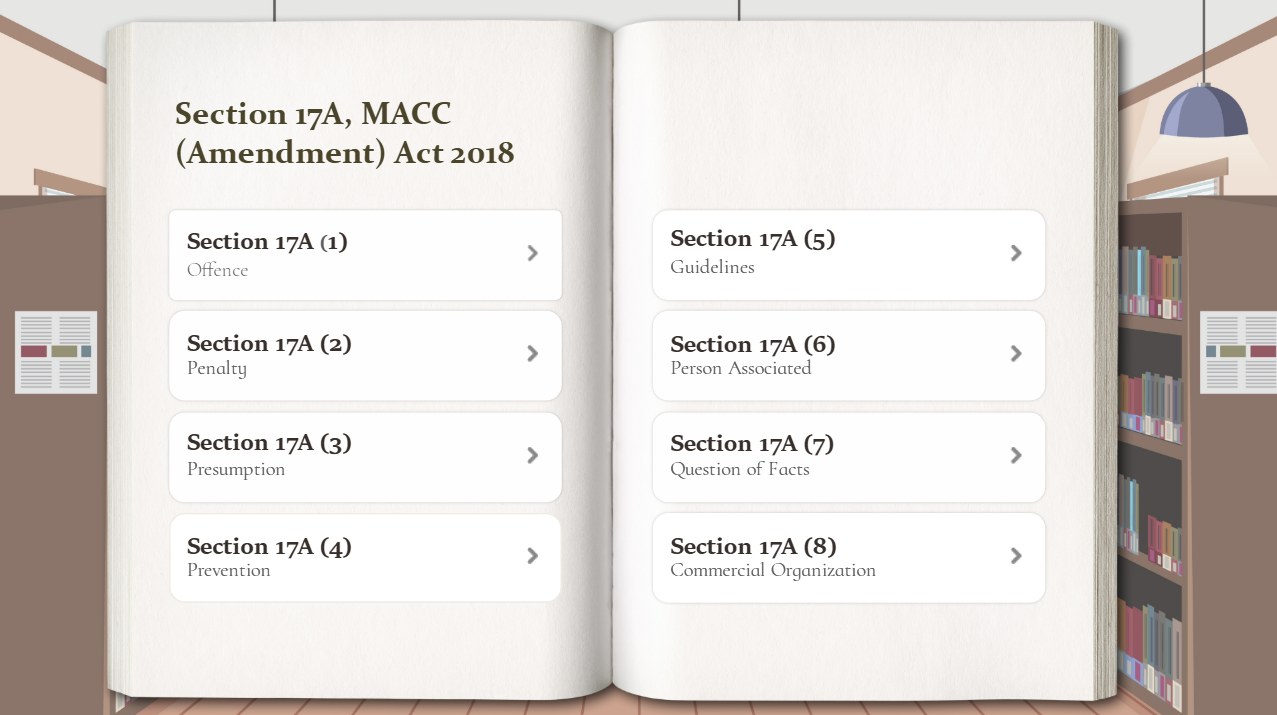
Staff start by finding the right book on the shelf, then open it to a table of contents that jumps to any of the 8 sections.

Table of contents listing the 8 parts of Section 17A

One law, eight pages

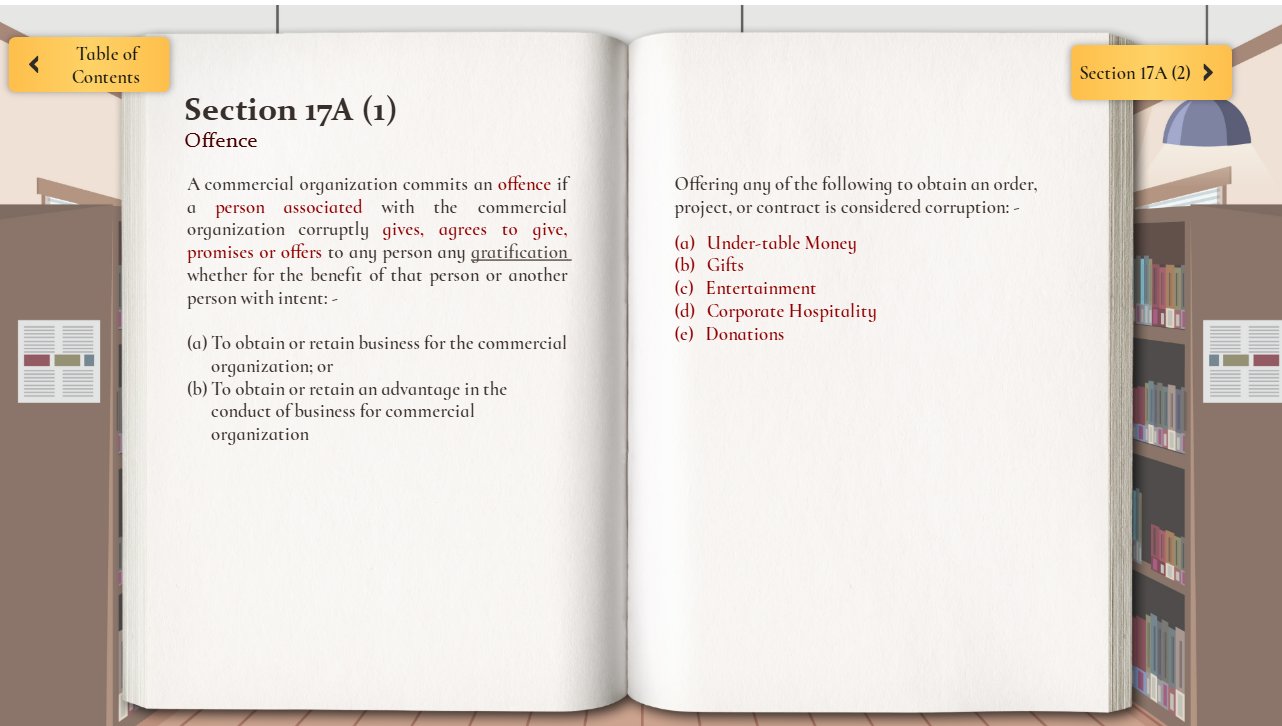
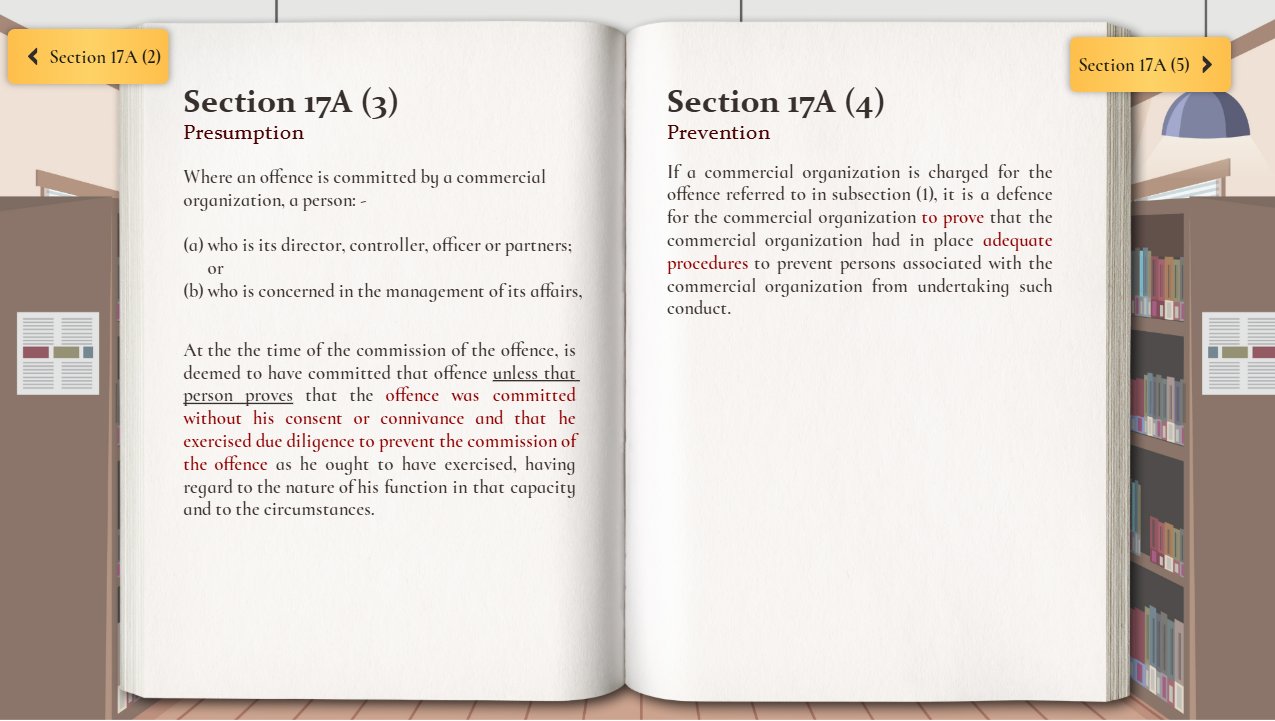
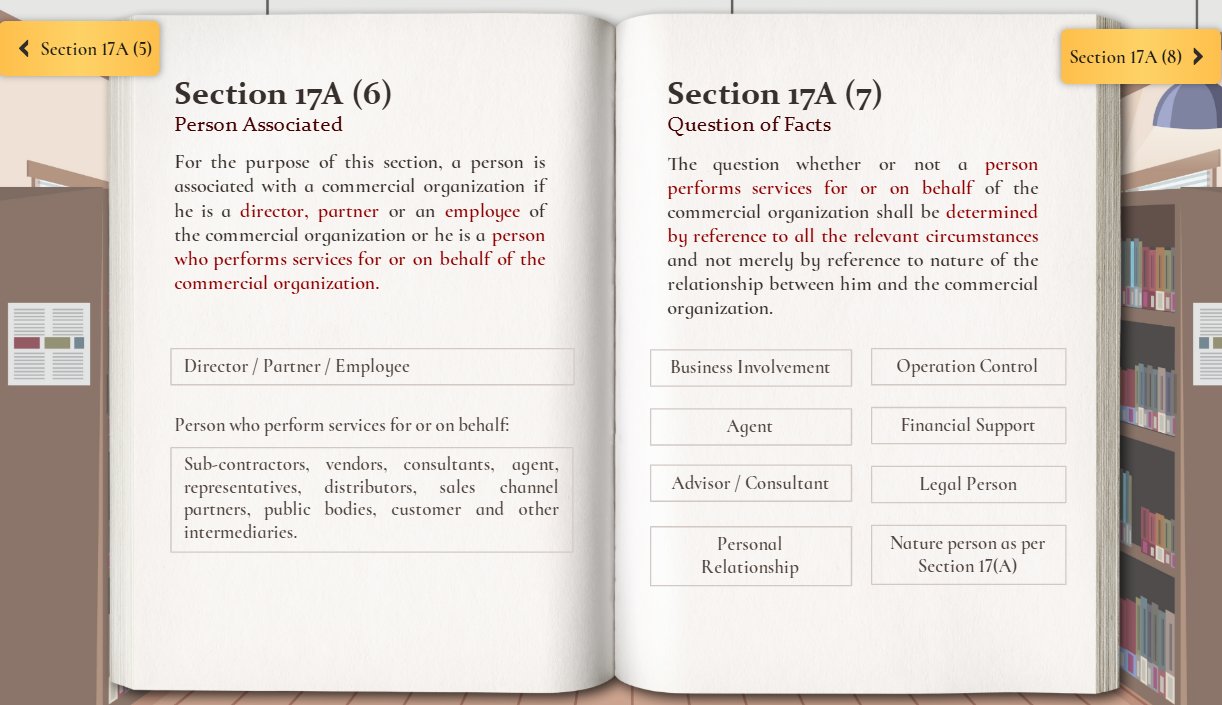
Each section is a two-page spread. Key legal words are bold maroon, so eyes land on what matters.

Section 17A(1): Offence
Section 17A(3) and (4): Presumption and Prevention
Section 17A(6) and (7): Person associated and question of facts
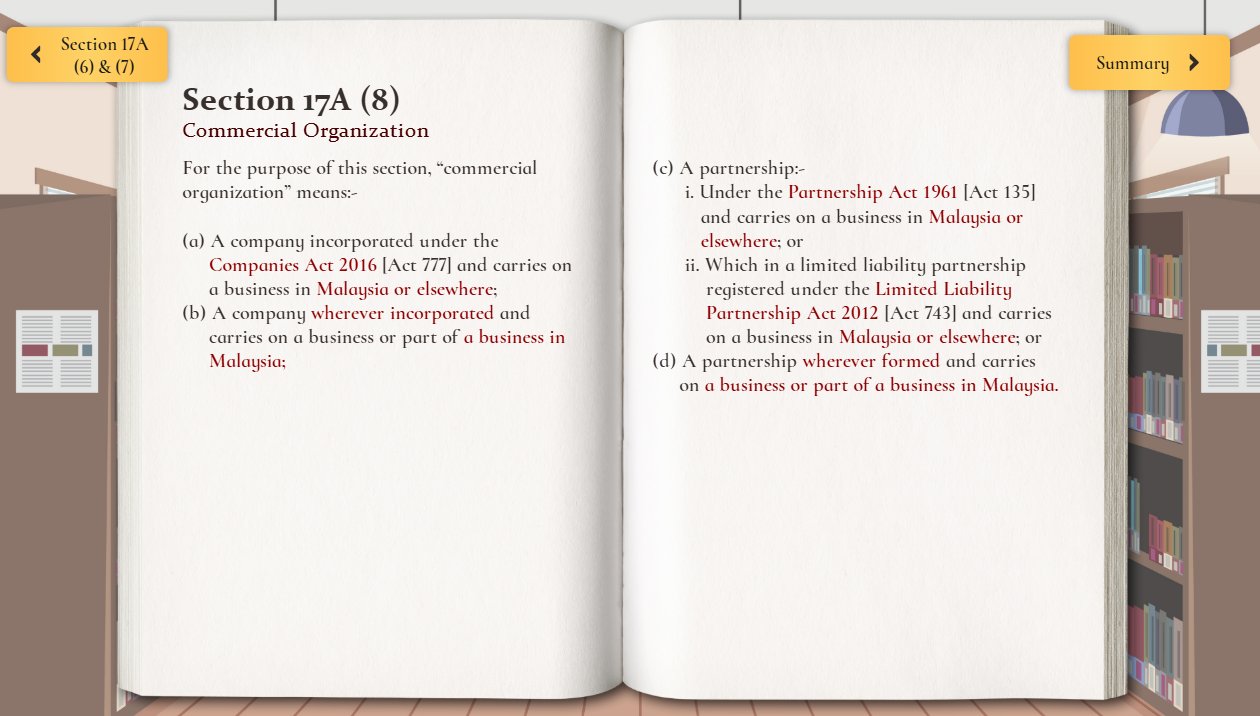
Section 17A(8): Commercial organisation

Read it, then use it

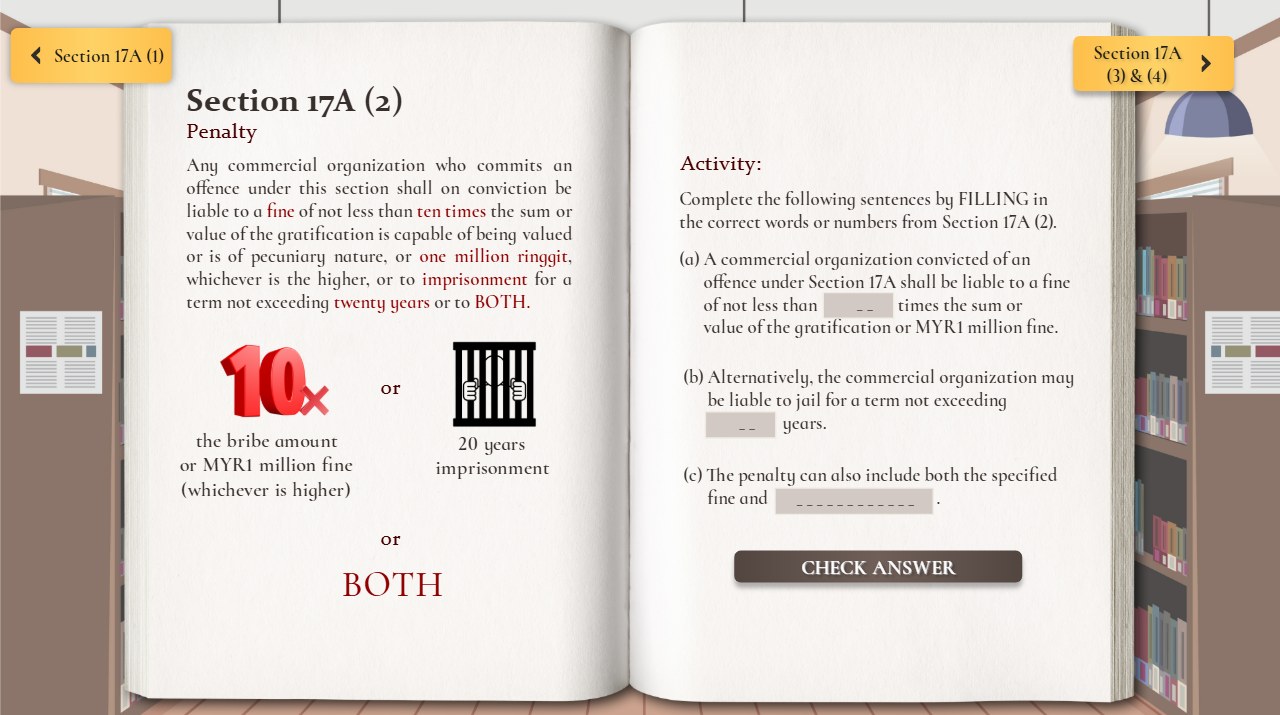
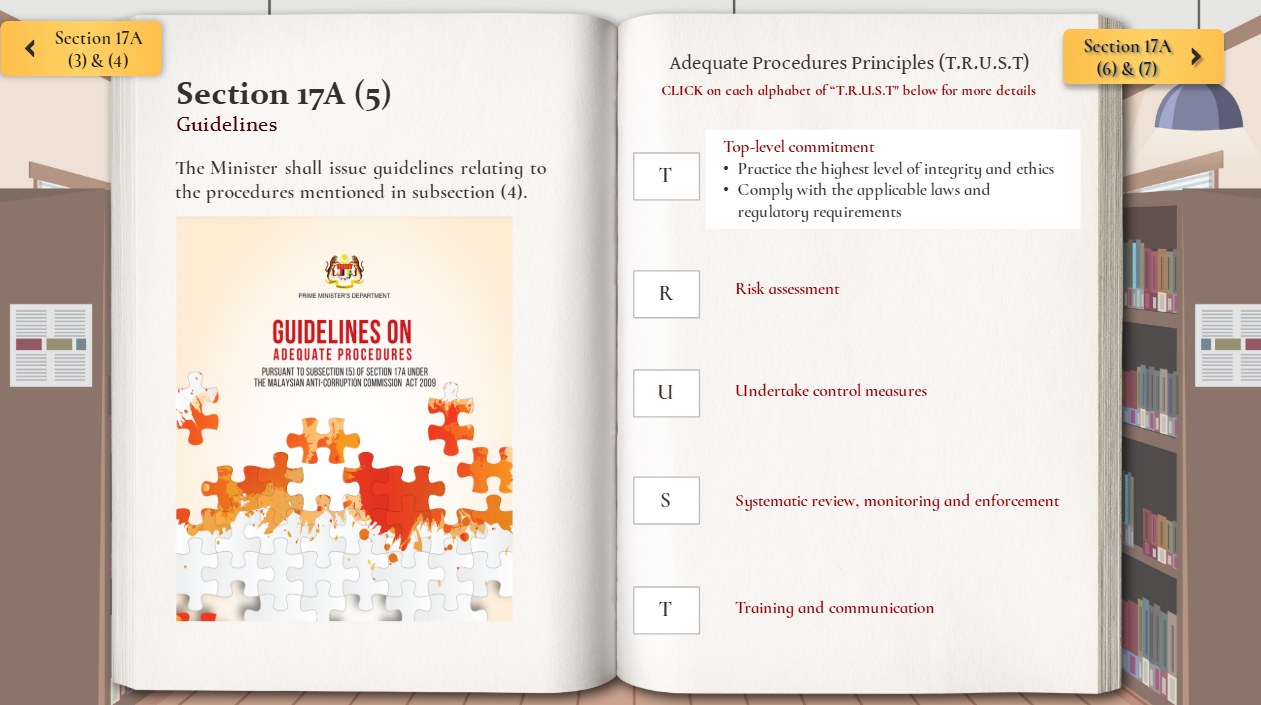
Staff don't just read. They fill in the blanks and check their answers, and click each T.R.U.S.T. letter to open its meaning.

Penalty page with a fill-in-the-blank task
Fill in the blank, then Check Answer
Guidelines page with T.R.U.S.T. letter tiles
Click each letter to reveal it

Style guide

A warm library palette, a statute-style heading font, and two button styles: gold for moving around, dark for checking answers.

Colour

Library brown#5C4A3AShelves and background
Page cream#FBF7EEBook pages
Statute maroon#8F0000Key legal terms
Mustard gold#FFC552Buttons
Ink#372F2BBody text
Deep maroon#480000Hover and emphasis

Type

Aa

Playfair Display

Section 17A (2)

Section titles. Looks like a printed law heading.

Aa

EB Garamond

A company commits an offence if a person linked to it corruptly gives or offers any gratification.

Law text, with key terms in bold maroon.

Buttons

Table of Contents Section 17A (3) & (4) CHECK ANSWER

Gold pills move between pages. The dark button is only for checking answers, so it never looks like navigation.

Click to reveal

TTop-level commitment
R
U
S
T

Each T.R.U.S.T. letter opens only when clicked, keeping the page clean.

Planning the pages

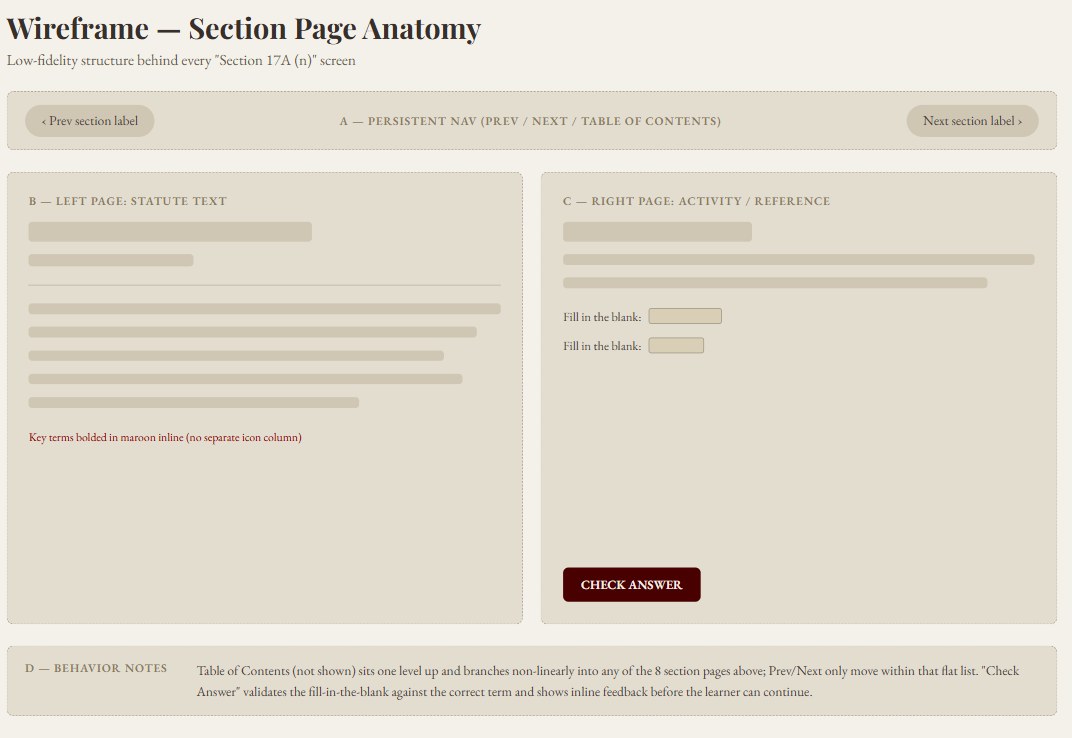
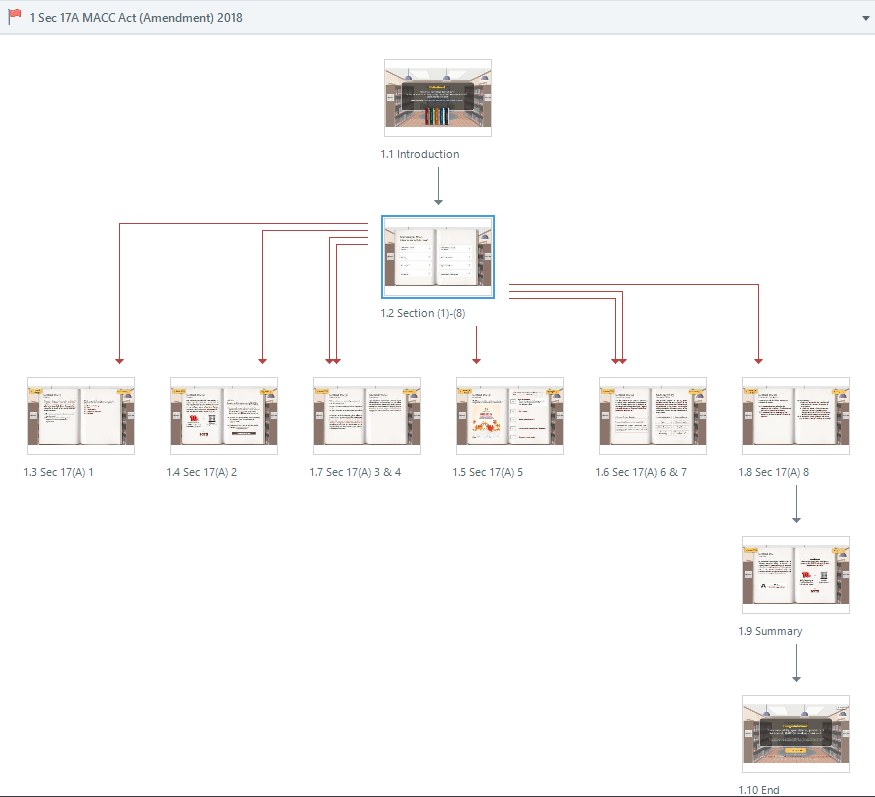
Every section page uses the same layout: law text on the left, a task or reference on the right. The table of contents branches to all 8 sections.

Wireframe of a section page
Section page wireframe
Storyline story view of the course flow
Course flow in Storyline

Built in Articulate Storyline

  • Jump anywhereTriggers send staff from the table of contents to any section. Page corners move back and forth.
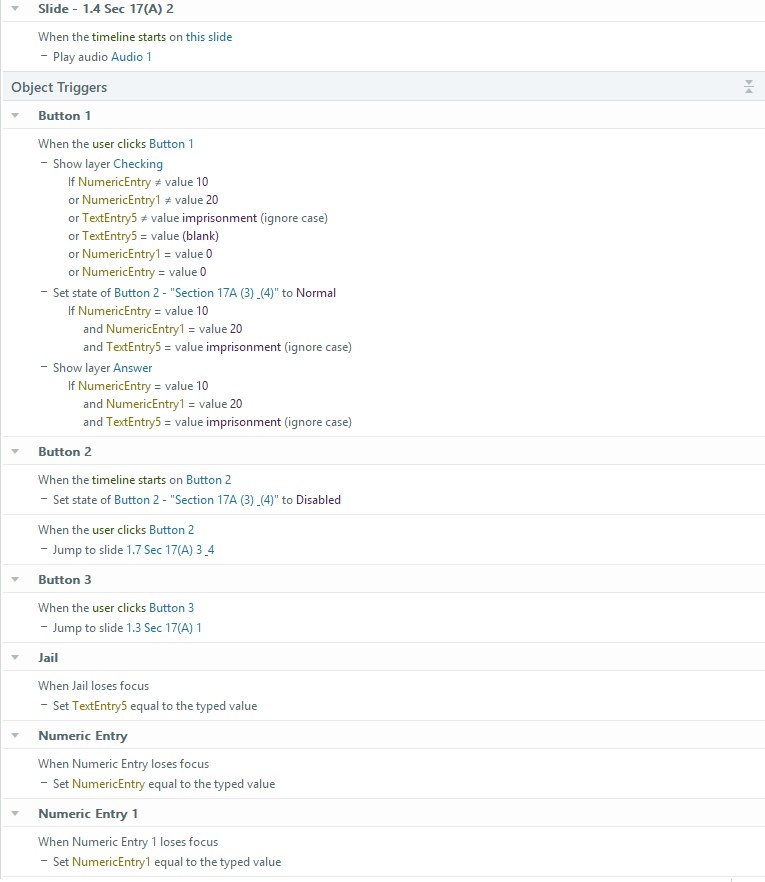
  • Fill in the blankText-entry variables, checked by a trigger for instant feedback.
  • Click to revealLayers and states open each T.R.U.S.T. letter on click.
  • Pick the right bookHotspots on each book spine, with feedback for the right pick.
Storyline triggers and variables for the penalty task

Before and after

Two videos to sit through became one course to explore.

Before

Two lecture videos, about 4 minutes each

Module 1: Part I
Section 17A (1) to 17A (4)

One narrated slide deck, watched start to finish

0:00
3:58
  • Watch in order only. No way to jump to one section.
  • Split across two separate videos.
  • Staff could skip ahead without taking anything in.

After

One interactive law book, at their own pace

Table of ContentsSection 17A (3) & (4)

Section 17A (2)

Penalty

10ร—or20 yrs

Activity

Fine of not less than times

Jail up to years

Or

CHECK ANSWER
  • Jump to any of the 8 sections, any time.
  • Both videos merged into one 8-section course.
  • Fill in the blanks and check answers to move on.

The result

Staff stopped clicking straight through.

Finished the next module in 1 minute or less

Before57.1%

After0%

Finished in 3 minutes or less

Before66.3%

After0%

Median time to finish the next module

Before34sec

After16.8min

Same measure both years, from LMS completion data. 1,220 learners before, 1,290 after.

Closing the book

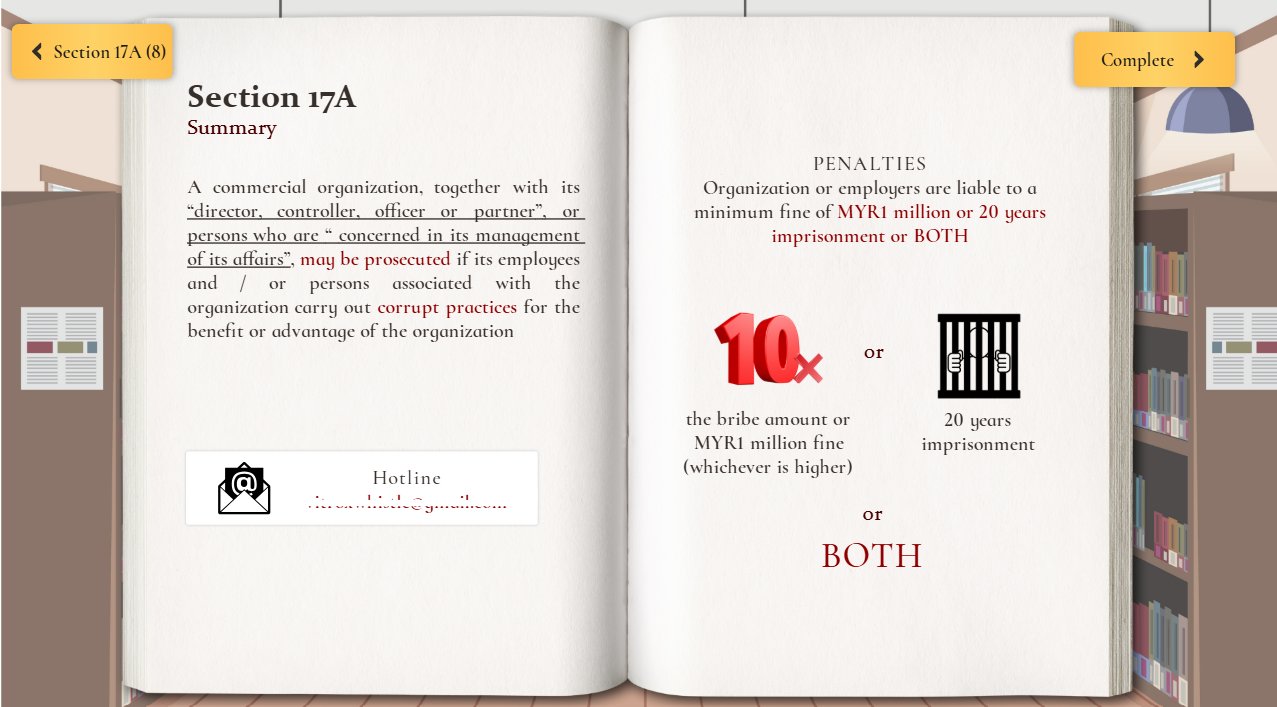
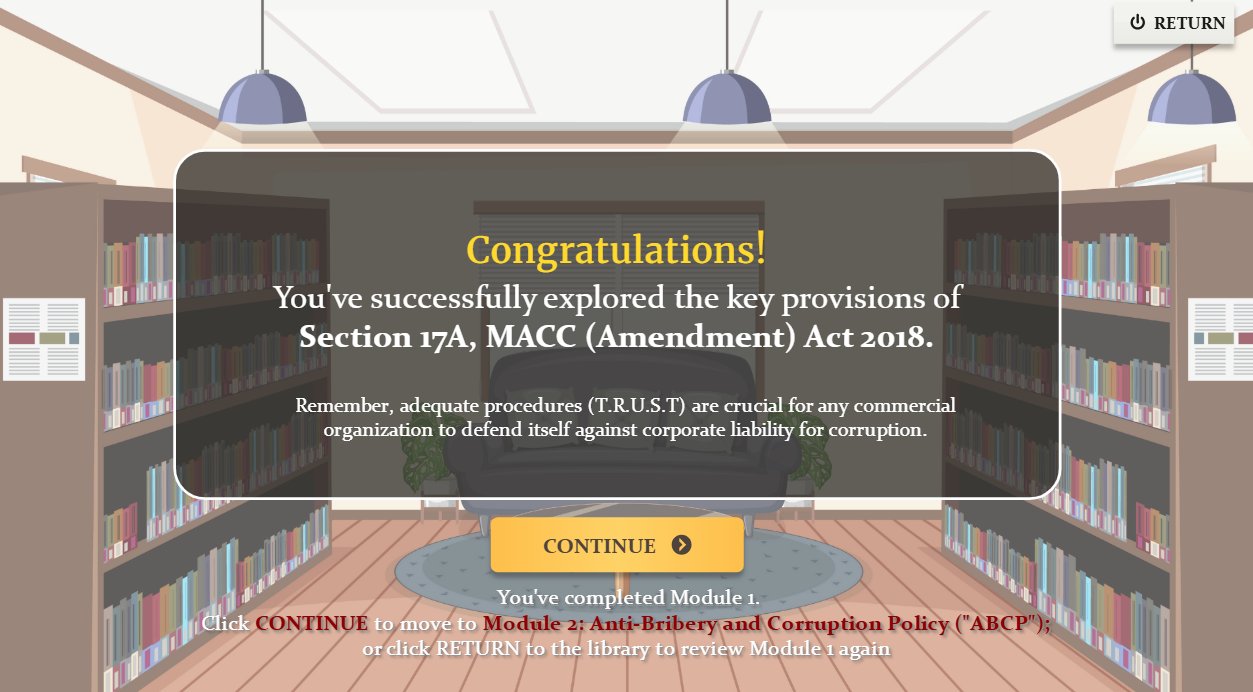
A one-page summary with the penalties and the whistleblower hotline, then a finish screen that leads to the next module.

Summary page with penalties and hotline
Congratulations screen at the end of the course
Back to all work

The Integrity Challenge

Crack the Code

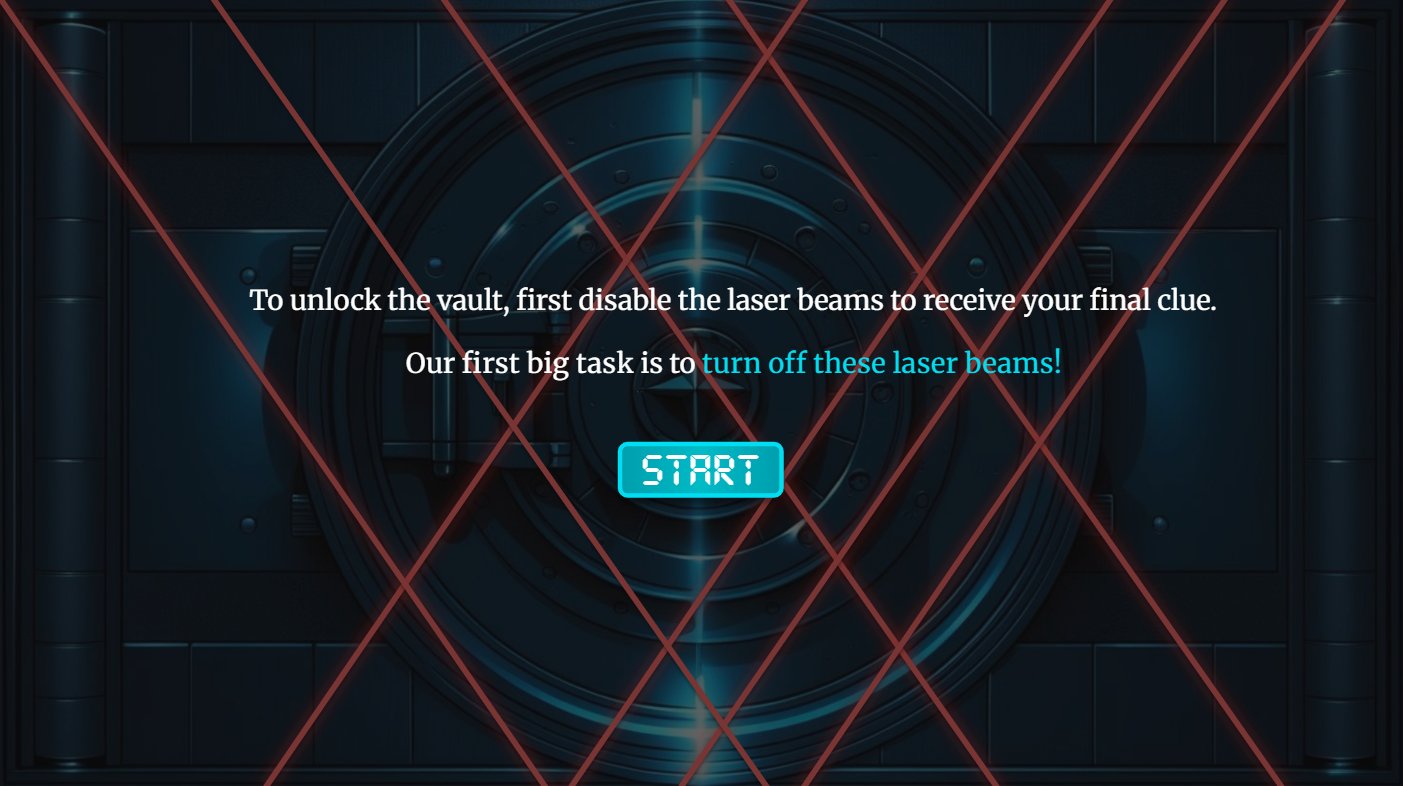
An escape-room game on the Code of Conduct. Staff crack a vault by making the right call on real ethical dilemmas, then race a countdown timer.

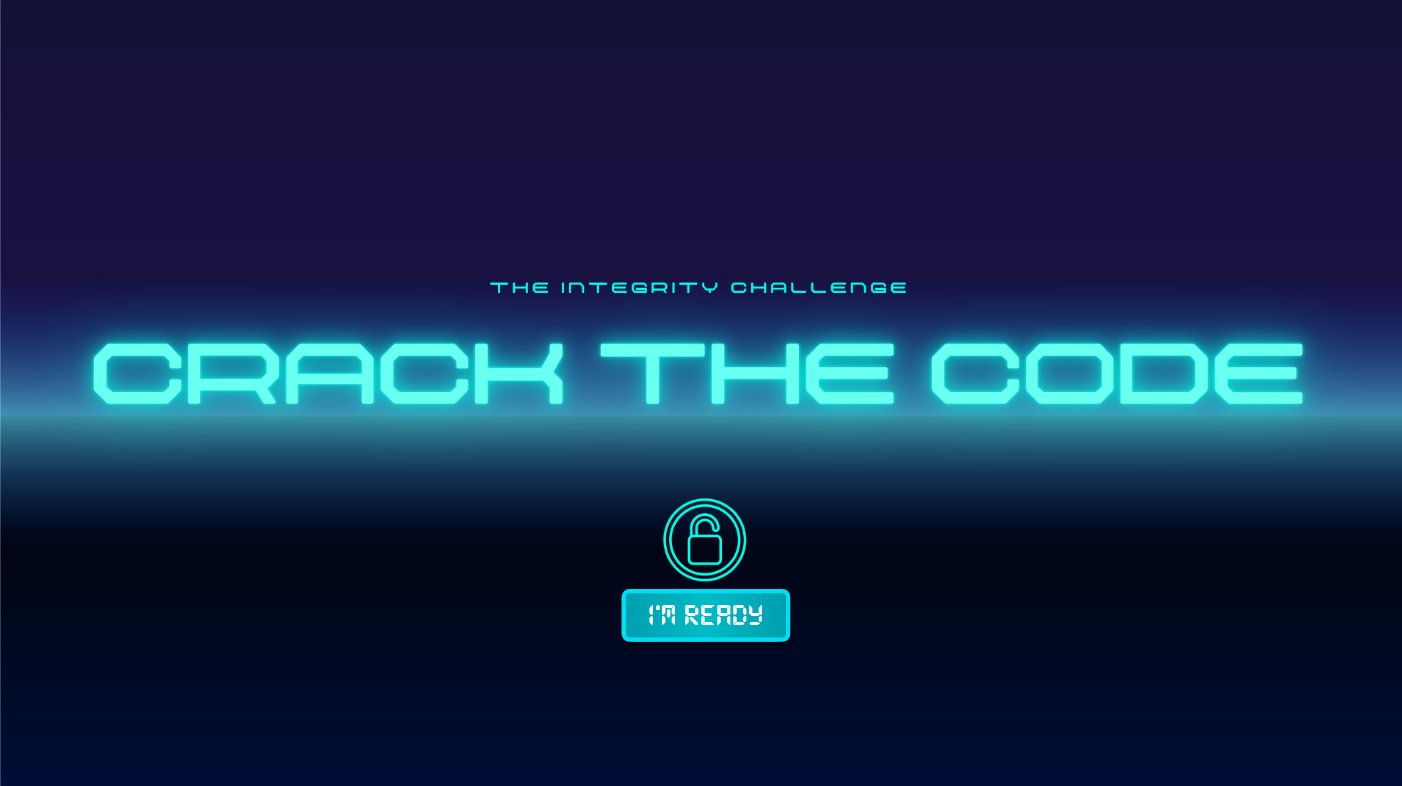
Title screen: Crack the Code in glowing cyan letters with an I'm Ready button
RoleInstructional design, storyboard, Storyline build, Chinese version
ToolsArticulate Storyline, Canva, Gemini
AudienceAll staff, including overseas
LanguagesEnglish and Chinese

The brief

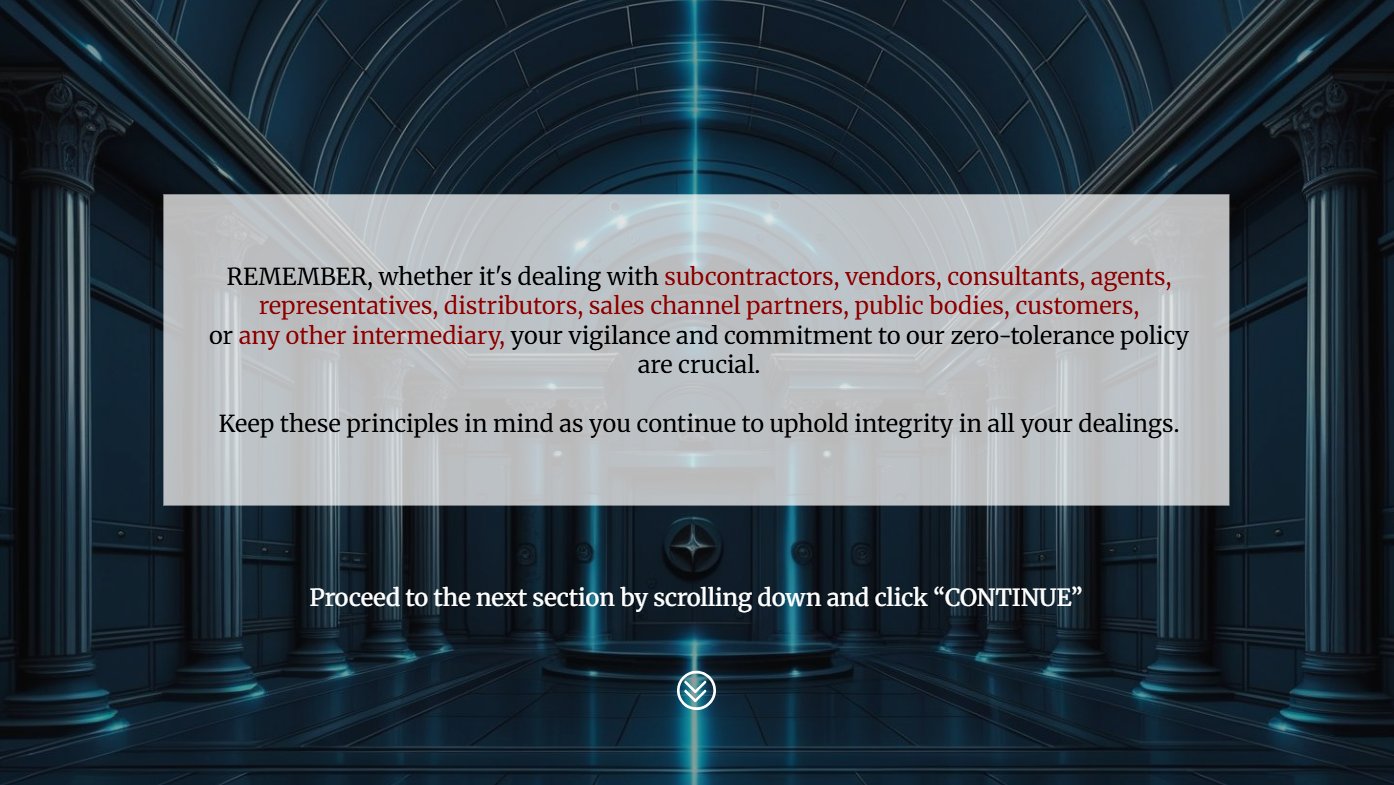
The old lesson on dealing with third parties was a narrated video over one crowded slide: 10 types of "persons associated" and four policy points, all squeezed onto one screen. Staff were told the rules but never had to use them. The goal: make them practise the decision, not just hear the list.

Break into the vault

To open the vault, staff must first switch off the laser beams. Each beam hides a real ethical dilemma.

Vault intro: disable the laser beams to get your final clue
The mission
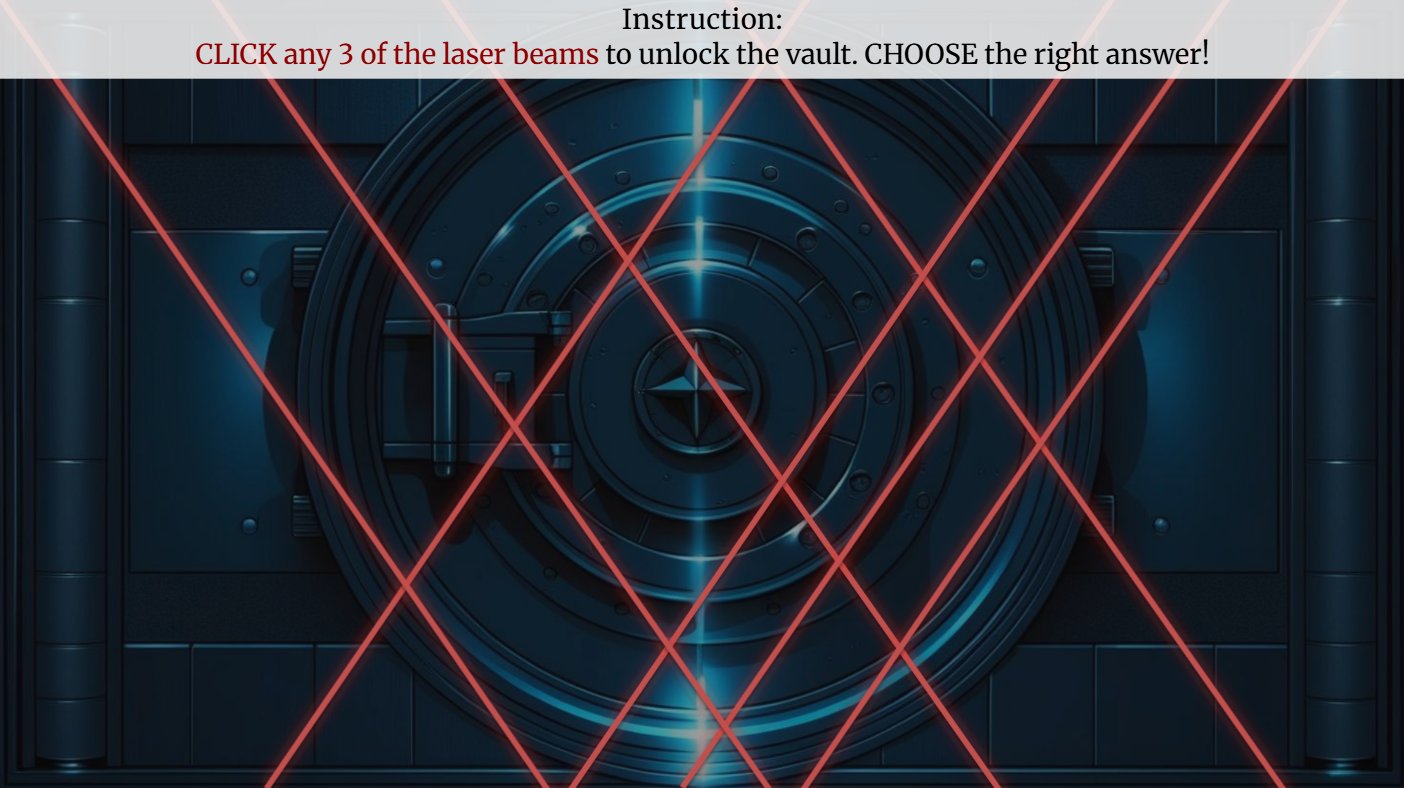
Vault covered in red laser beams with an instruction bar
Click any 3 of the 8 beams

Eight real dilemmas

The 10 types of third party from the old slide became decisions staff actually face. They pick any 3 of these 8.

ConsultantsOffers a competitor's confidential information
VendorsInvites you to a luxury retreat
Public bodiesA gift basket for an inspector
ProcurementBulk pricing plus a personal reward
Sales channel partnersA distributor with legal issues
CustomersA charity request tied to a deal
AgentsWon't explain how they get approvals
SubcontractorsPressure to skip background checks

Make the right call

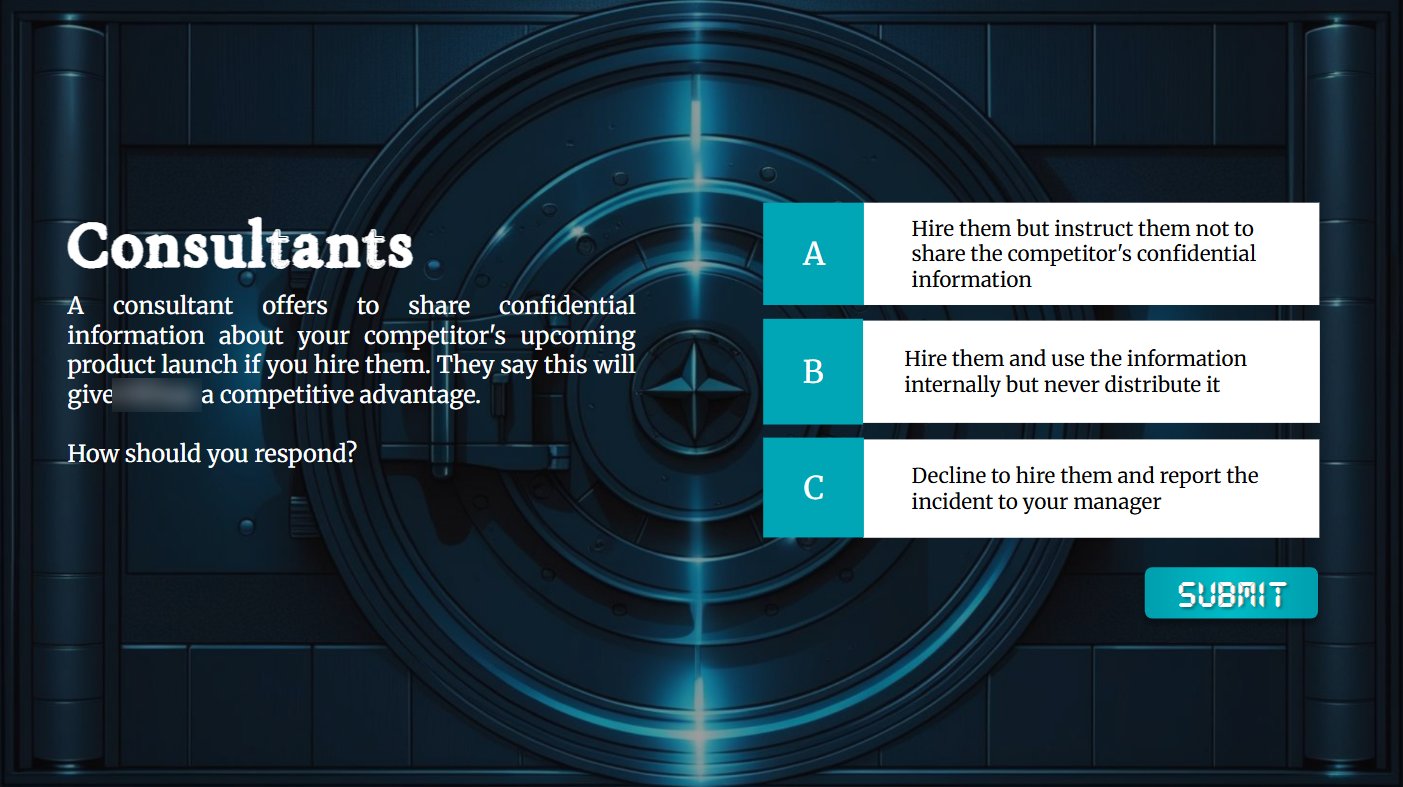
Each beam opens a short scenario with three choices. Every answer gets its own feedback that explains why it is right or risky.

Consultants scenario with three answer choices and a Submit button
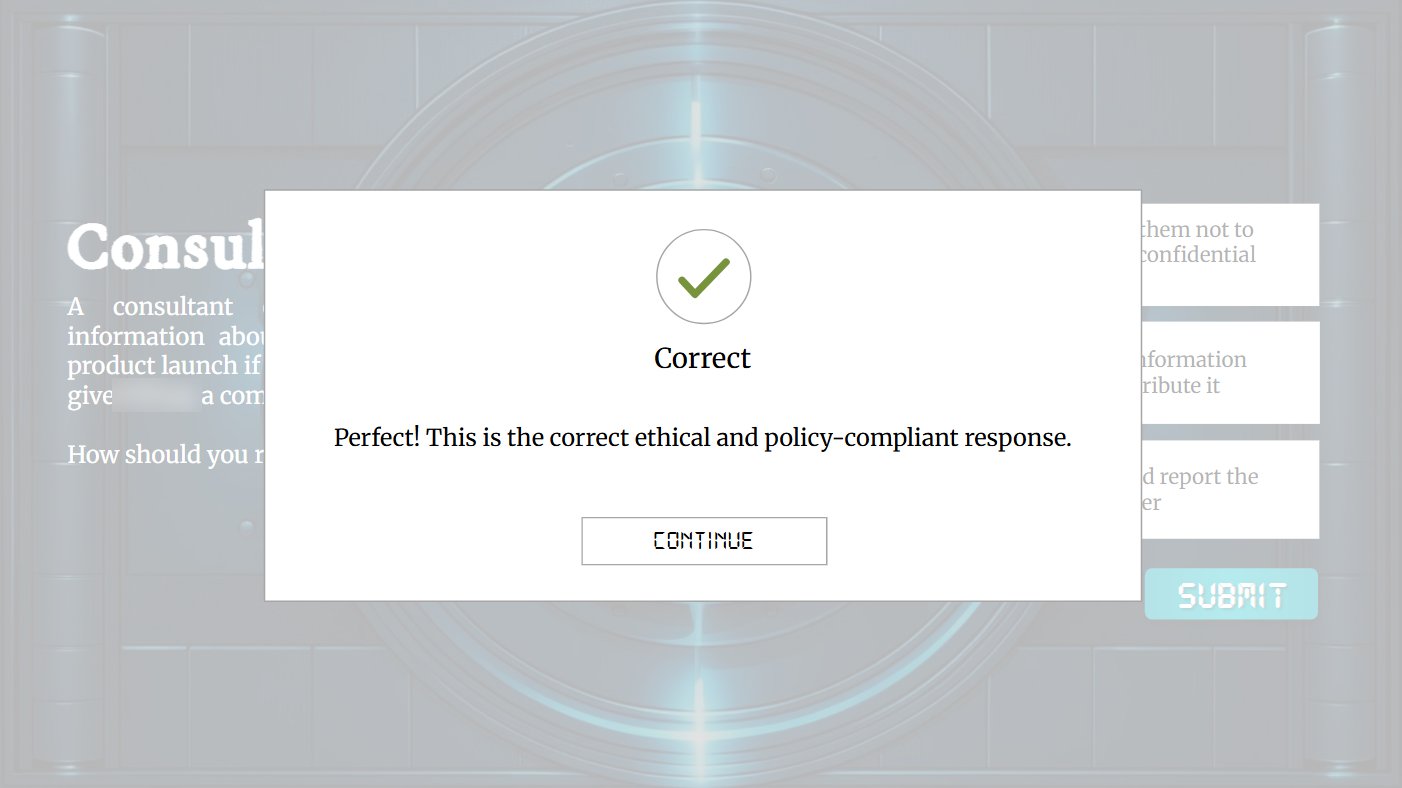
Correct feedback card with a green tick
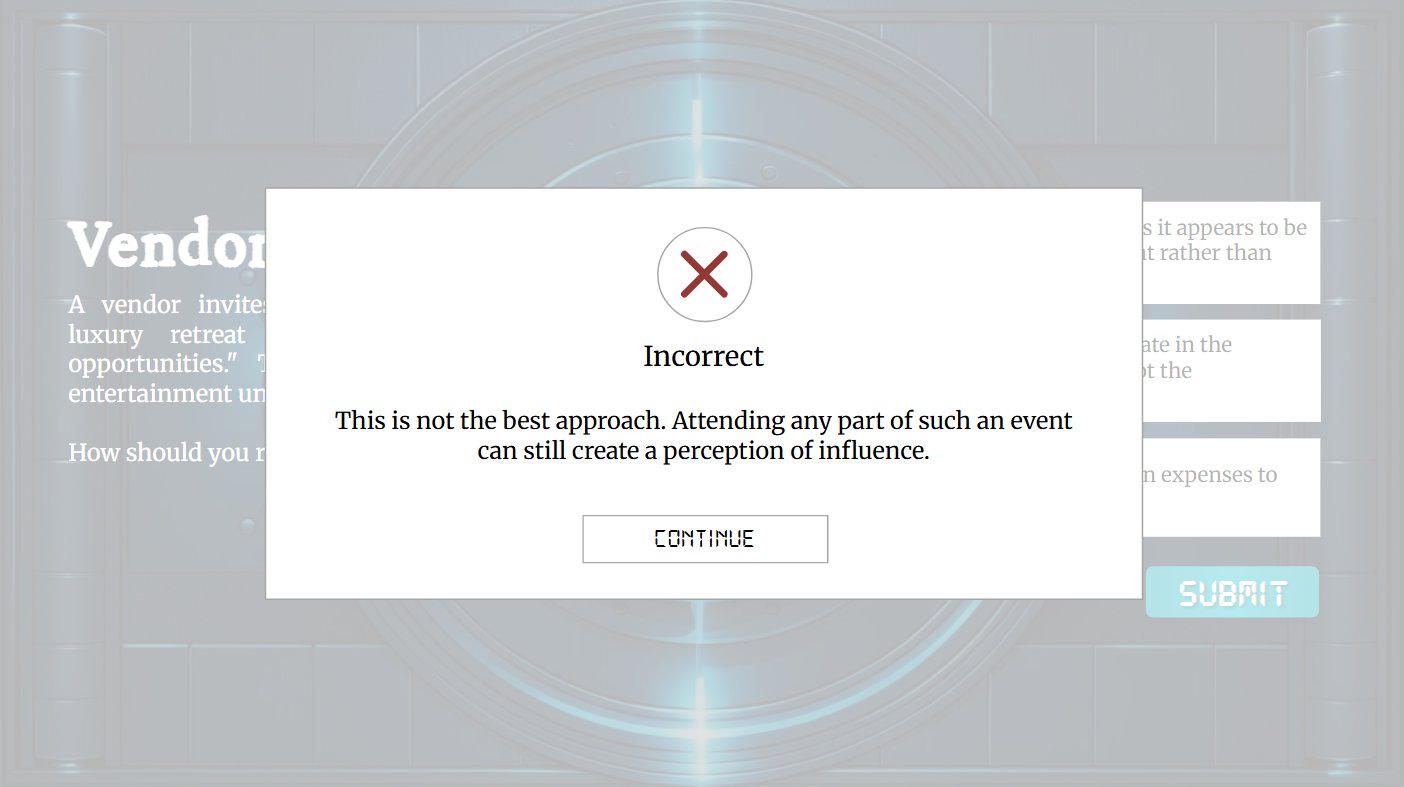
Incorrect feedback card with a red cross and an explanation

Beat the clock

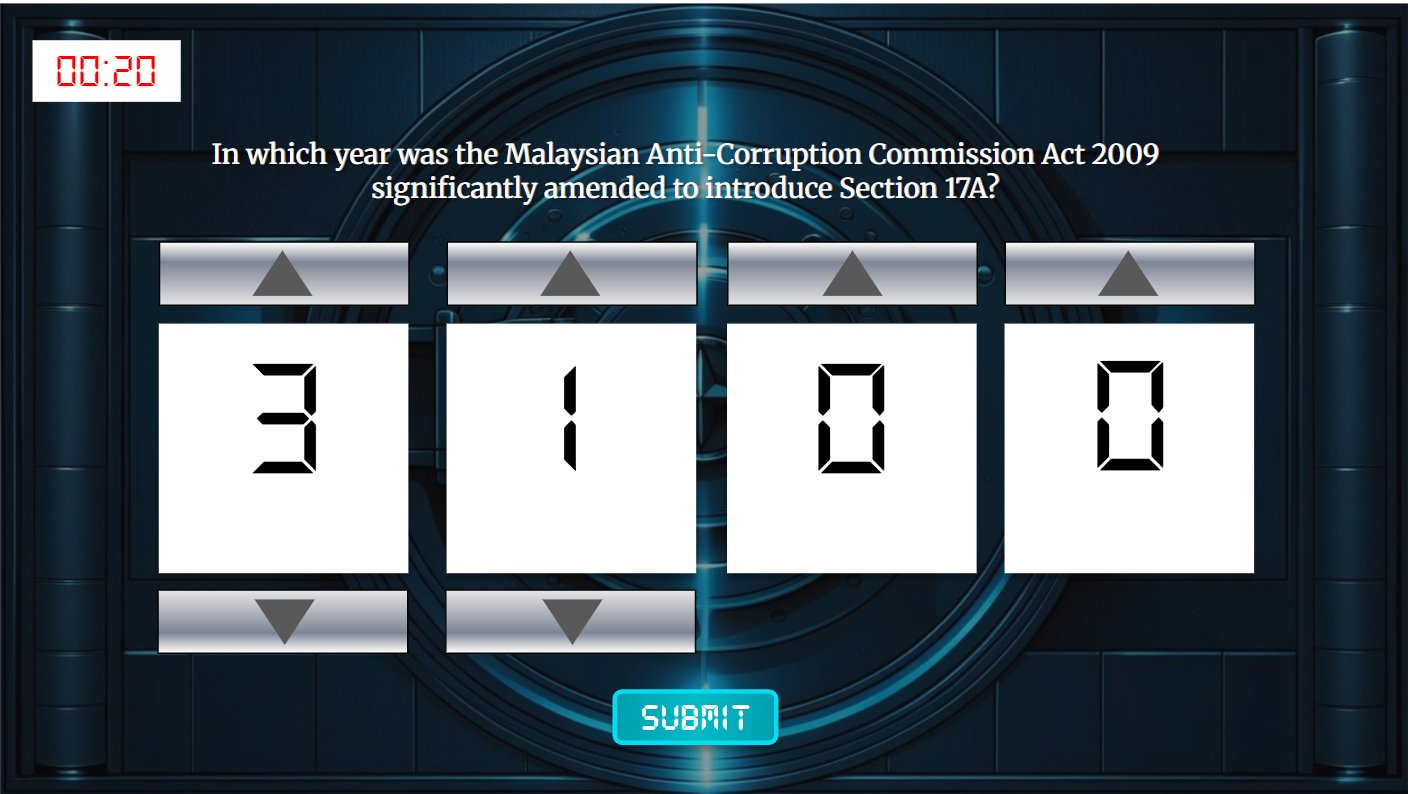
With the lasers off, one last lock remains: a passcode round. Staff have 20 seconds to dial in a Section 17A fact. Too slow, and the vault stays shut.

Passcode round with a 20-second timer and four digit wheels
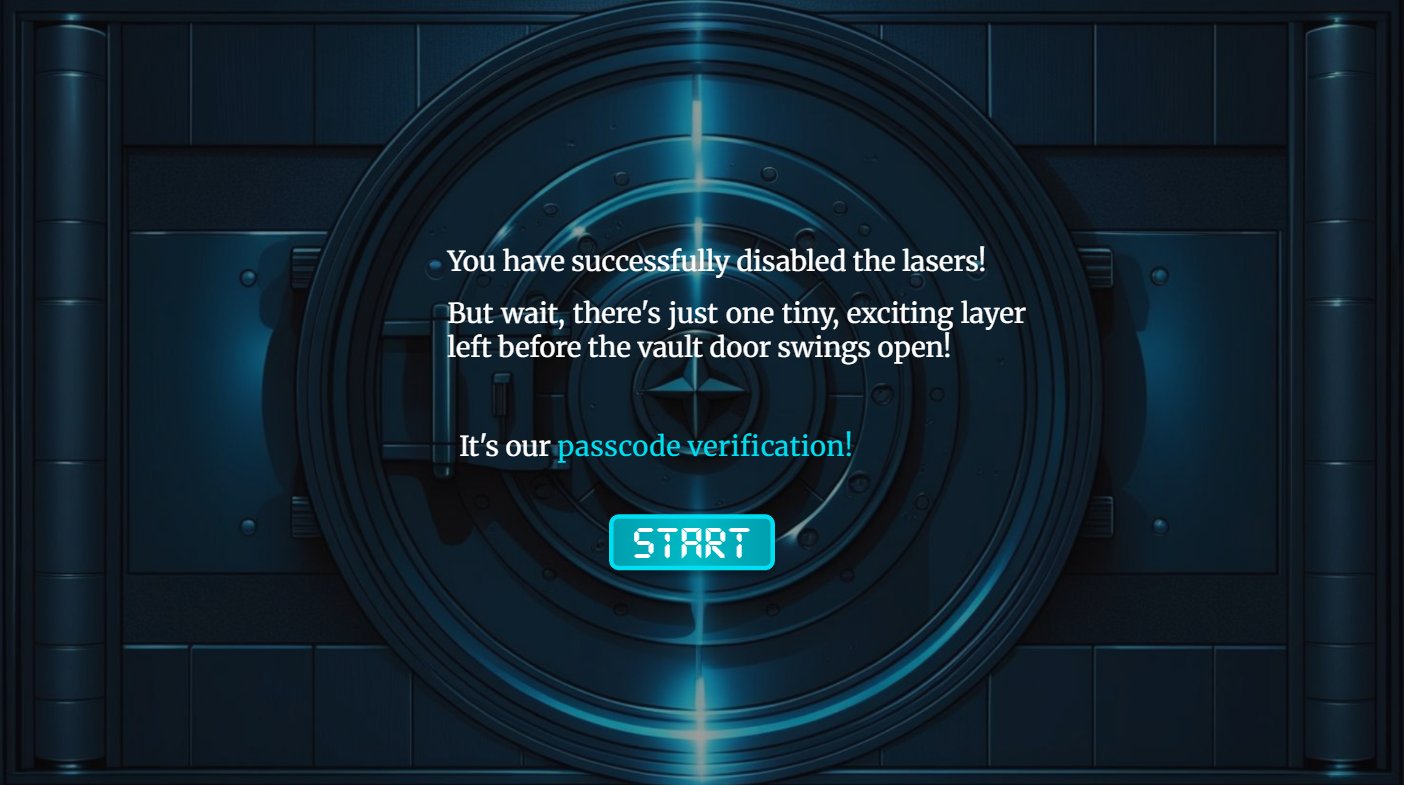
Screen saying the lasers are disabled and the passcode check is next
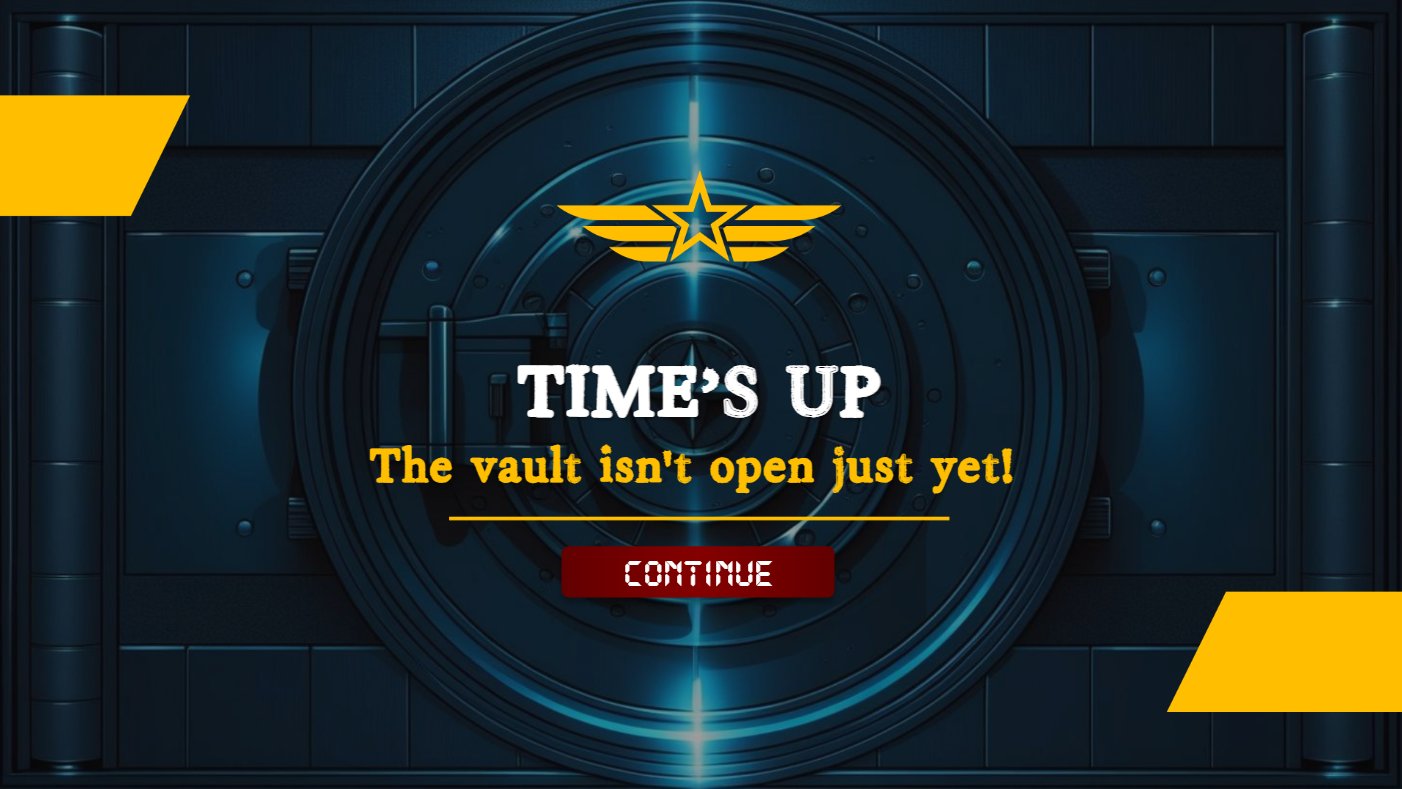
Time's up screen: the vault isn't open just yet

Game flow

One path in, two ways out, and a calm summary at the end.

  1. Title"Crack the Code" and I'm Ready
  2. The missionSwitch off the lasers to get your clue
  3. Laser beamsPick 3 of 8 dilemmas. Answer A, B or C and get feedback
  4. Lasers offOne more lock to go
  5. Passcode20-second Section 17A question on digit wheels
  6. Time's upVault stays locked. Try again
    Vault opensCorrect passcode in time
  7. Closing summaryAll 10 types of third party and the zero-tolerance policy

Style guide

A dark heist look with red lasers and glowing cyan, so the game feels tense. Feedback sits on clean white cards so it is always easy to read.

Colour

Midnight#17113FTitle background
Vault steel#0D2433Game scenes
Neon cyan#62F4E8Titles and glow
Button teal#00A8BCButtons and choices
Laser red#D8493FBeams and warnings
Signal gold#FFC000Time's up

Type

CRACK THE CODE

Glowing display font for titles

START   SUBMIT   I'M READY

Digital font for buttons, like a keypad

A consultant offers to share confidential information. How should you respond?

Serif body text for scenarios

Buttons and feedback

STARTSUBMIT
CDecline to hire them and report it to your manager
Correct
Incorrect

White cards with a green tick or red cross stand out against the busy vault.

Before and after

From one crowded slide to hear, to eight decisions to make.

Before

Narrated video over one dense slide

Dealing with 3rd Parties and Public Officials

Sub-contractorsVendorsConsultantsAgentsRepresentatives
DistributorsSales partnersPublic bodiesCustomersOthers
  • 10 categories and 4 policy points on one screen.
  • Staff were told the rules, never asked to use them.
  • No decision, no consequence.

After

A scenario game with real stakes

Consultants

How should you respond?

A
B
C
SUBMIT
  • Same 10 categories, now 8 real decisions.
  • Staff pick an answer and learn why it matters.
  • A timed passcode round adds real stakes.

Built in Articulate Storyline

More moving parts than the Virtual Law Library.

Laser hotspotsEach beam is a clickable hotspot that opens its own scenario.
Feedback per answerA, B and C each open their own layer with a tailored explanation.
Countdown and digit wheelsNumber variables and a timer. If time runs out before Submit, the game jumps to Time's Up.
Beams that switch offStates change on the vault as each scenario is answered.

A calm ending

The last screen moves to a quiet marble hall. The full list of third parties returns here as a reminder, after staff have already practised using it.

Closing summary in a marble hall listing all types of third party
Back to all work

Software simulation

VClaim Expense Claim Simulation

A click-through practice copy of the company's expense claim system. Users learn to submit, manage and track claims in a safe replica, instead of reading slides on the side.

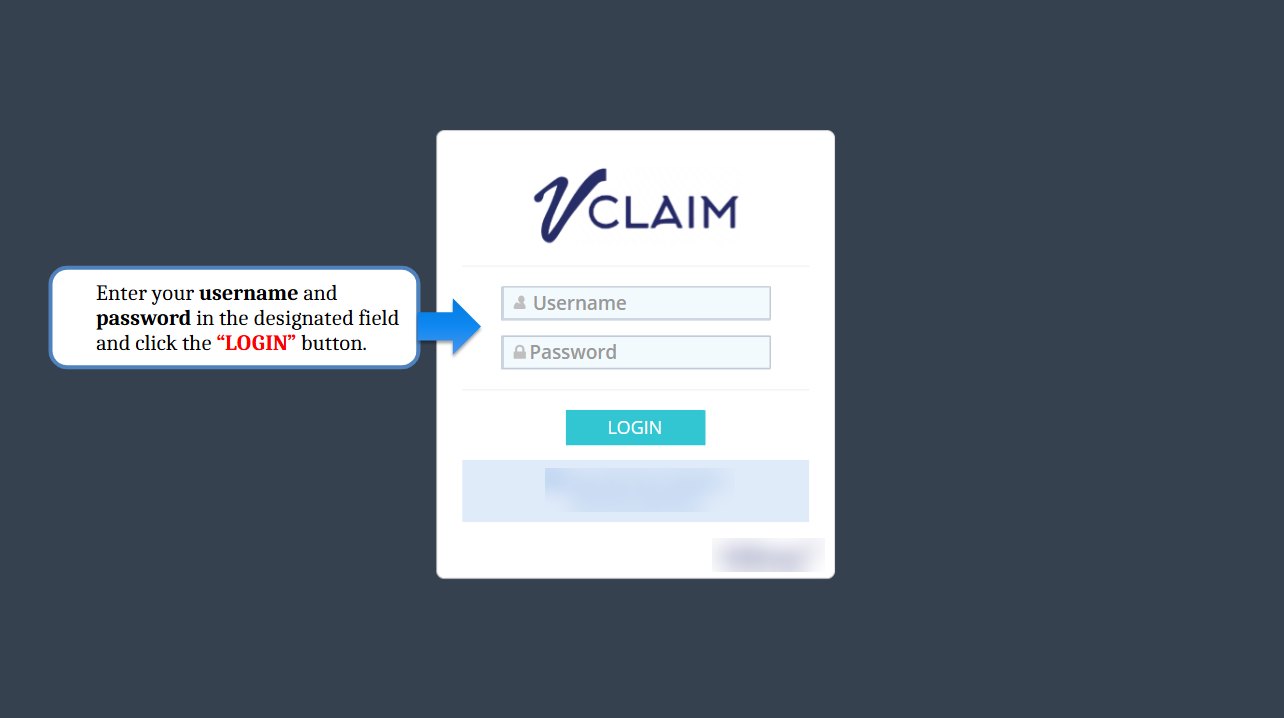
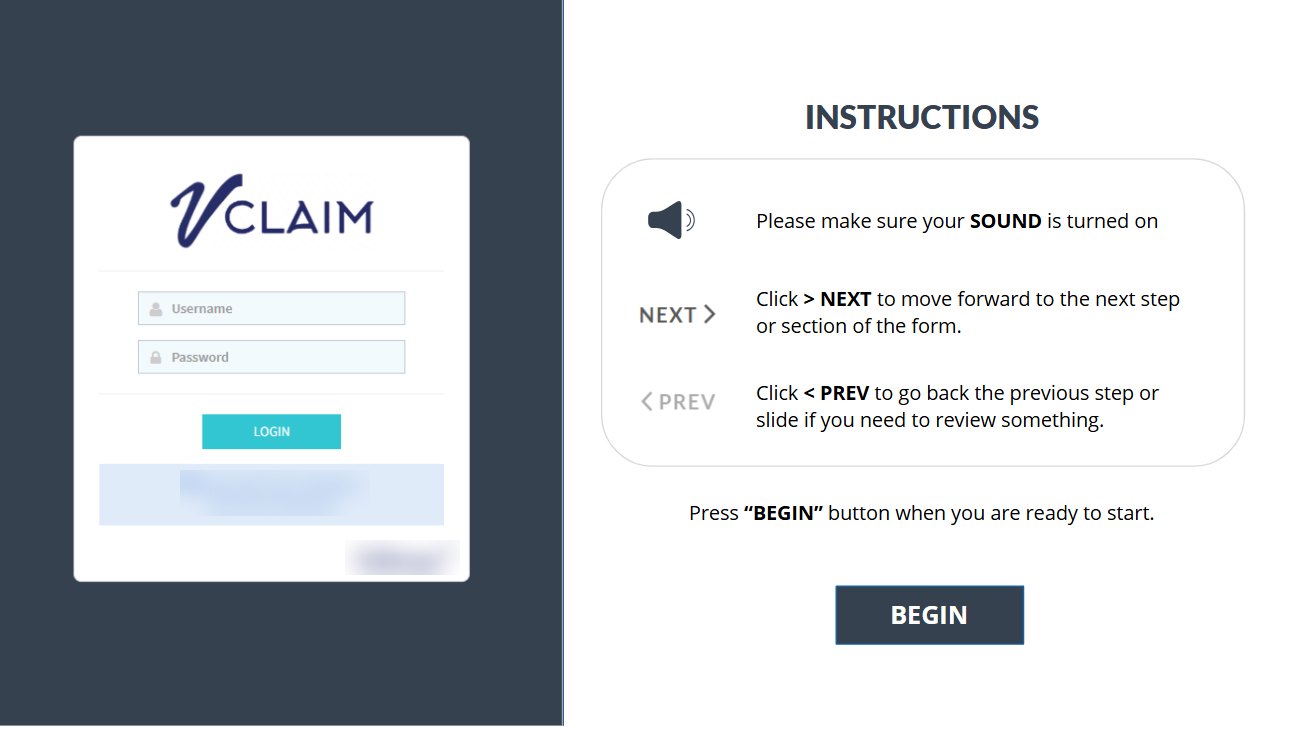
Simulation start screen with the login page and instructions

The challenge

Two windows, too many mistakes

The old training was a slide-based step-by-step guide. Users kept switching between the slides and the real system while trying to submit a claim. Stakeholders linked this back-and-forth to a high rate of claim errors.

The solution

Practise in a safe copy of the system

An interactive simulation built over the real VClaim screens. Users practise submitting, managing and tracking general, local travel and overseas claims, with guidance right on the screen instead of in a separate file.

Before and after

Instead of two windows, one guided replica of the real system.

Before

A slide guide next to the real system

Step 3

  • Read a step, switch windows, try it, switch back.
  • Easy to lose your place or skip a step.
  • Mistakes only showed up after submitting.

After

Practice inside a replica of the system

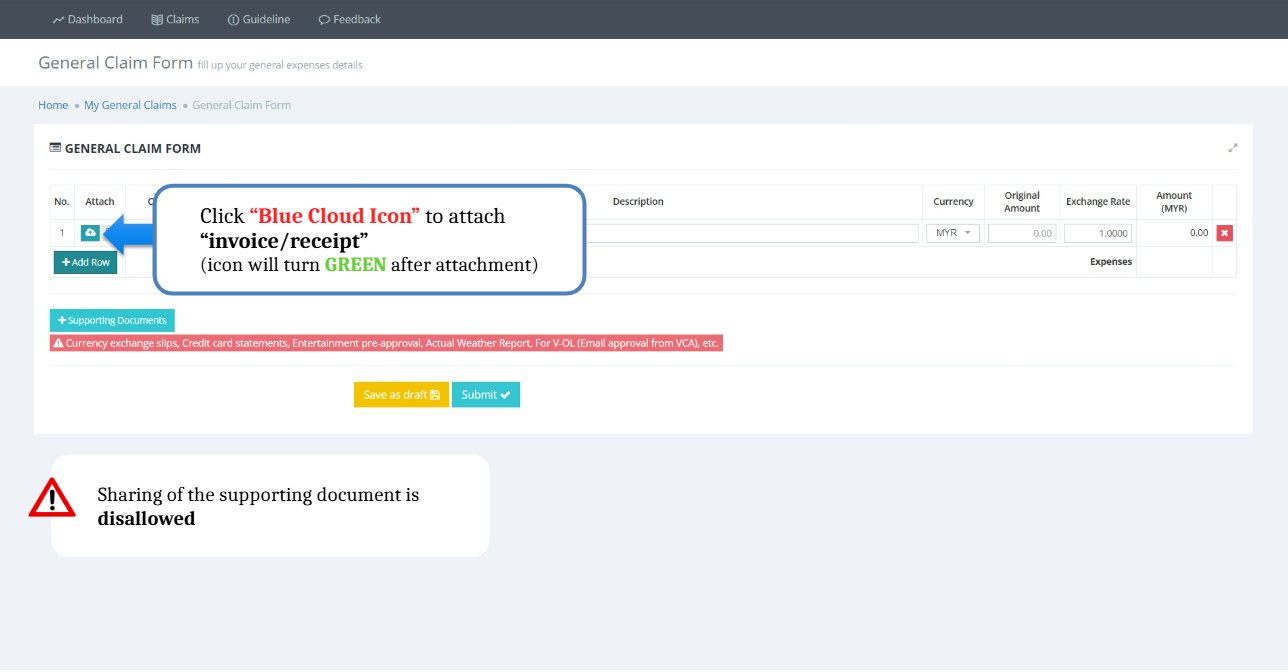
Click the cloud icon to attach your receipt
  • Instructions sit right on the screen they describe.
  • Users click through each step themselves.
  • Safe to make mistakes: nothing is really submitted.

Walk through a claim

Each screen copies the real system, with a callout that tells users exactly where to click next.

01

Log in

Users start on the same login page they use every day, so nothing feels new on the real day.

Login page with a callout pointing to the username and password fields
02

Attach the receipt

A callout points to the cloud icon and explains it turns green once the receipt is attached. A warning reminds users that supporting documents can't be shared.

Claim form with a callout on the cloud icon for attaching a receipt
03

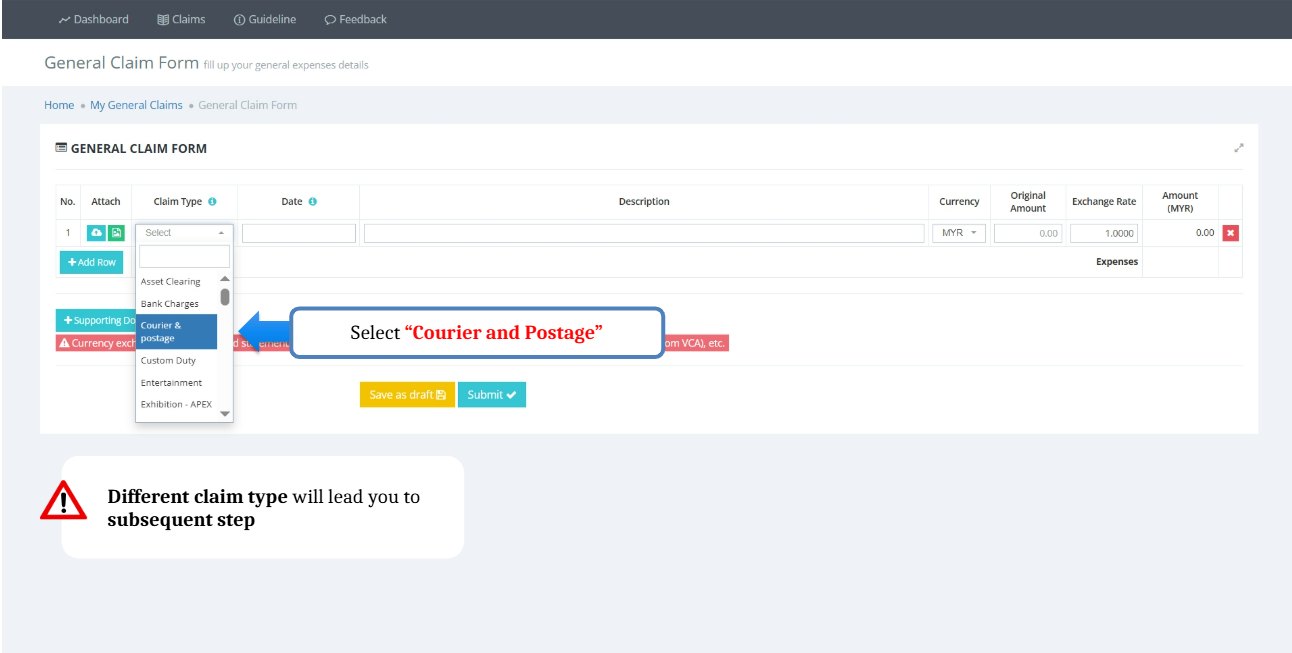
Choose the claim type

Picking a claim type changes the next steps, so the simulation shows users which one to choose and why it matters.

Claim type dropdown with Courier and Postage highlighted
04

Submit and confirm

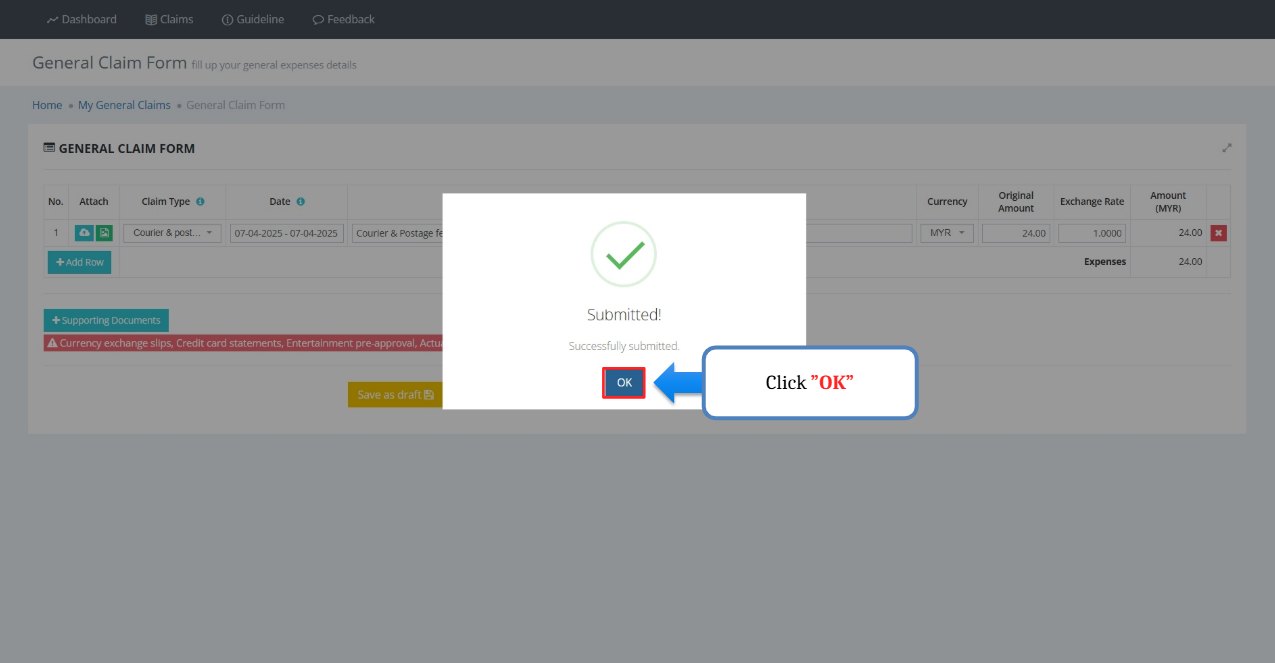
The claim goes through and the confirmation appears, just like in the real system.

Submitted confirmation message with a callout on the OK button

Travel claims, step by step

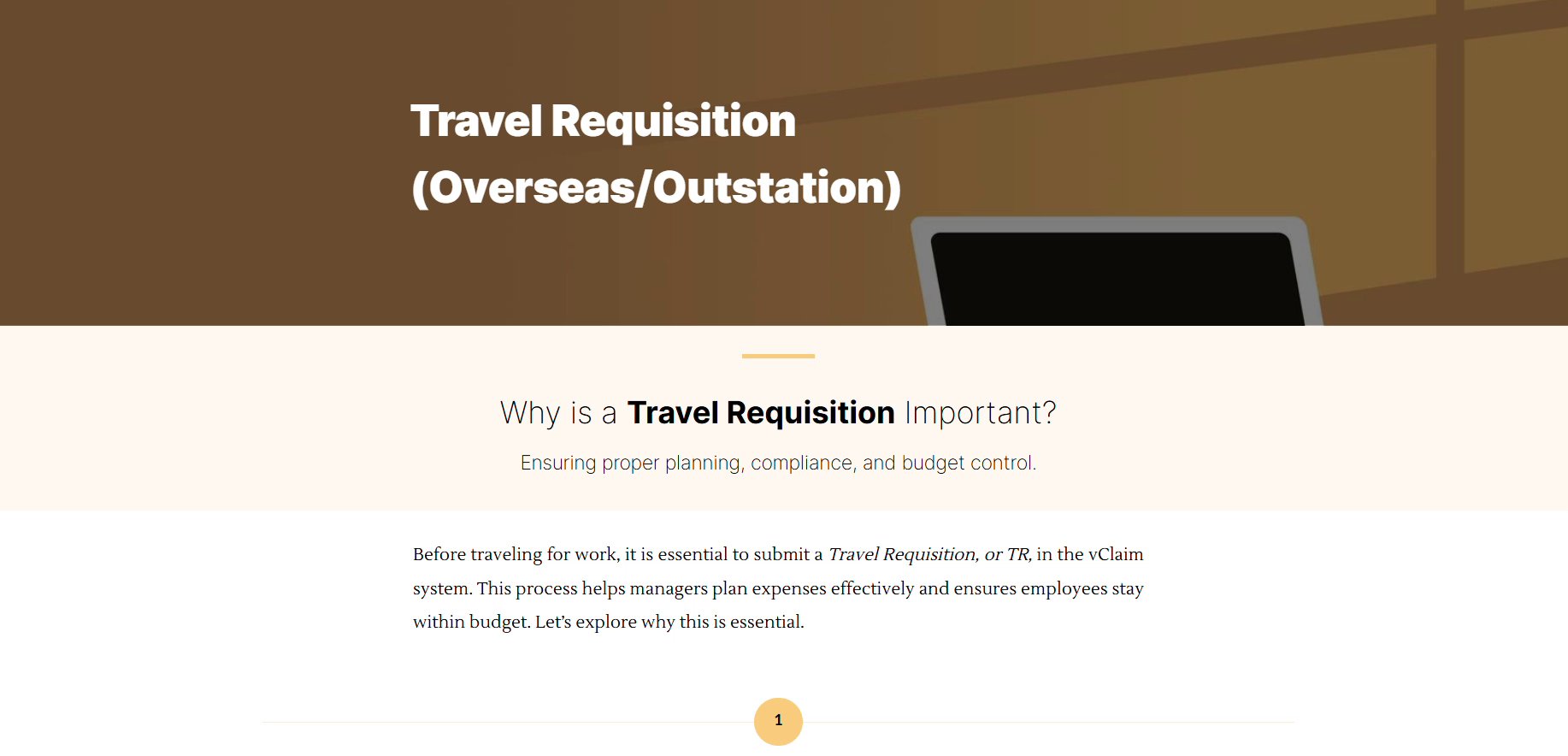
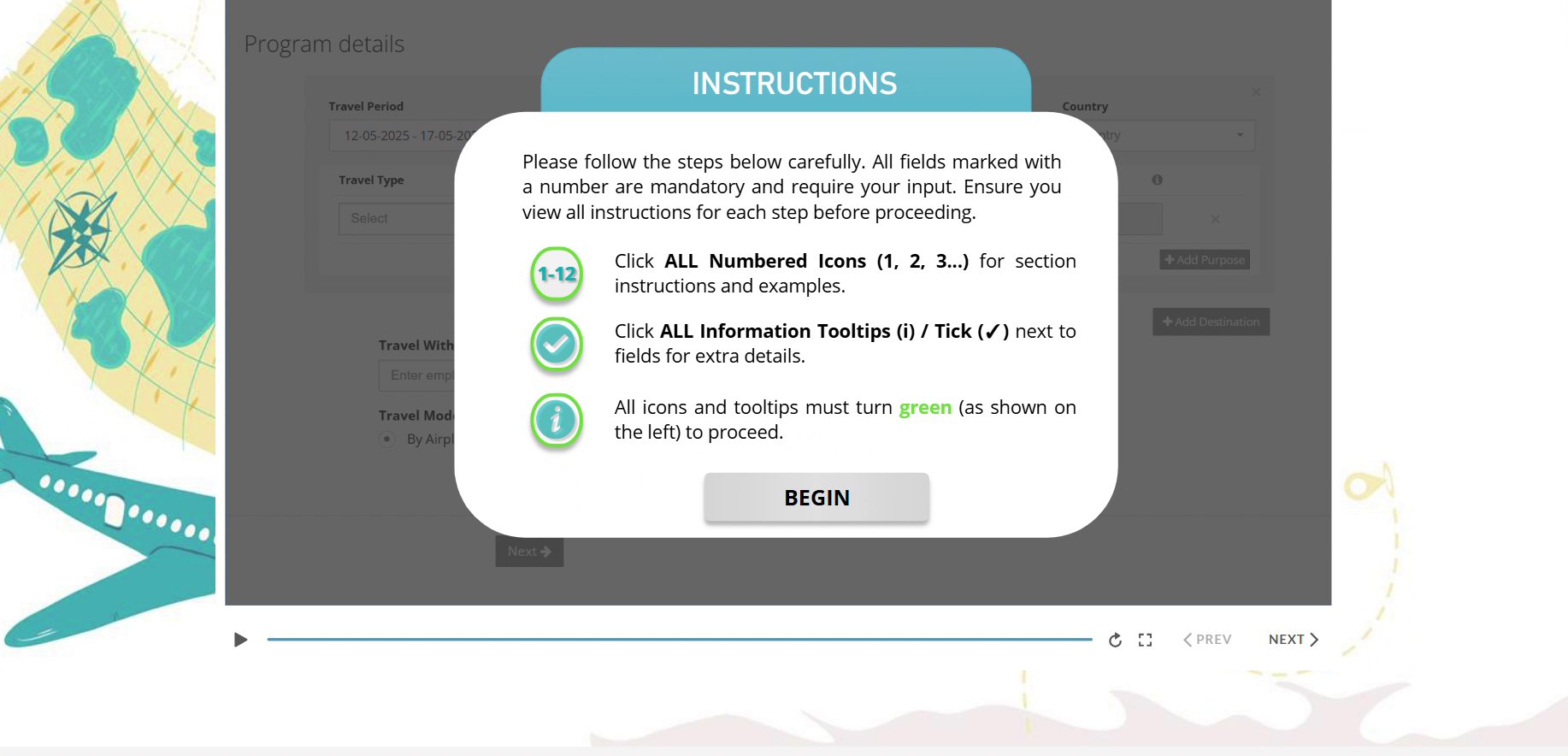
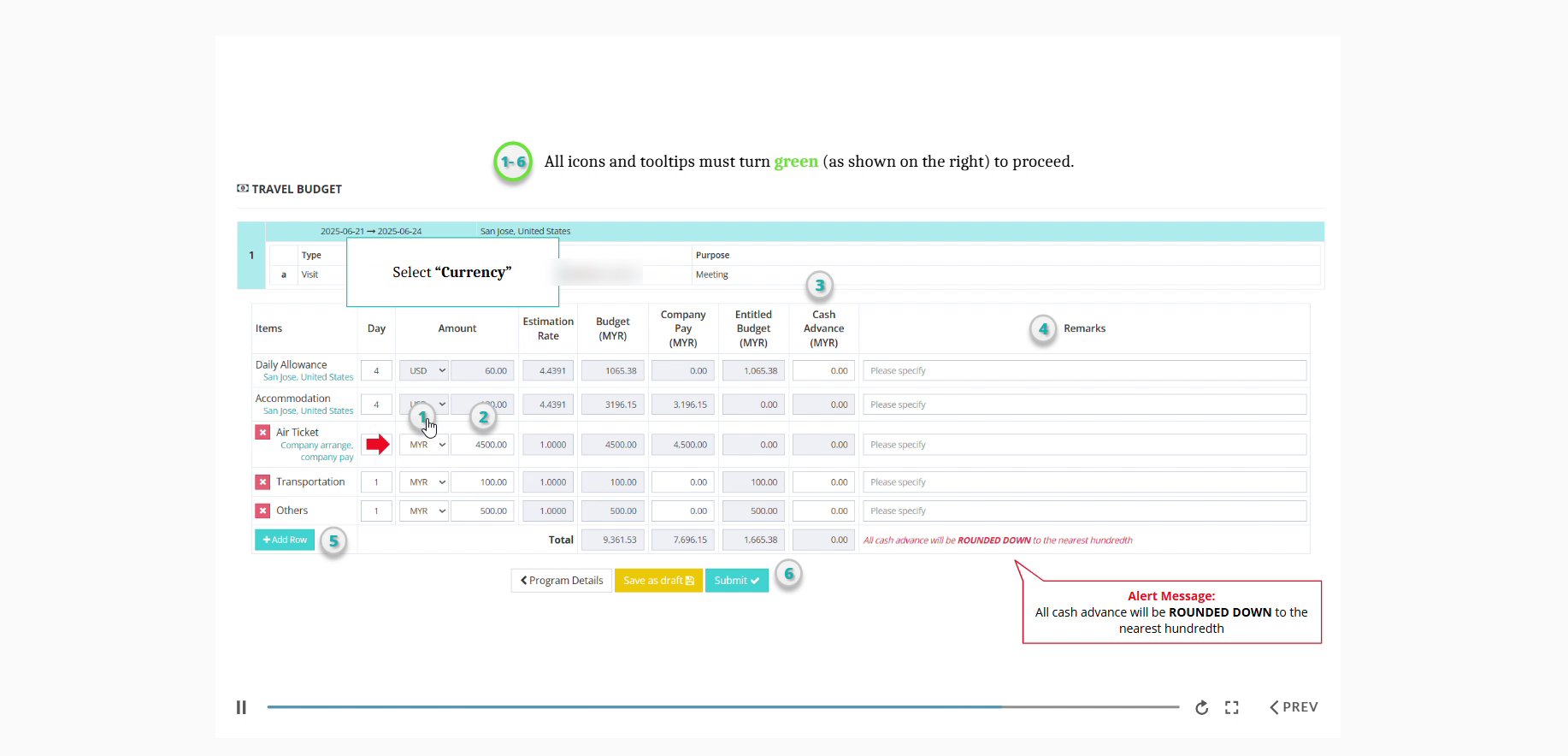
For overseas and outstation trips, a guided course explains why a Travel Requisition matters, then walks through the form with numbered steps that turn green as users complete them.

Travel Requisition course opening: why a Travel Requisition is important
Instructions pop-up: all numbered icons and tooltips must turn green to proceed
Travel budget form with numbered step markers and a callout

What users can do after

  • SubmitGeneral and Travel claims correctly in VClaim
  • Explainwhy a Travel Requisition is needed for pre-approval
  • Preparecomplete claims with the right documents attached
  • Applycompany rules on deadlines, claimable items and approvals
  • Tracktheir claims and follow the approval flow

The result

More claims went through right the first time.

Claims submitted without errors

Before64%

After69%

Claims submitted with errors

Before36%

After31%

From claim system records: January to September 2025 before, October 2025 to June 2026 after. Stakeholders also asked whether "how-to" questions dropped, but not every new joiner's training could be verified, so that number was left out rather than overstated.

Back to all work

Platform ownership

Platforms Managed

Beyond single courses, I plan, build and run the learning platforms themselves, for university students, employees and external partners.

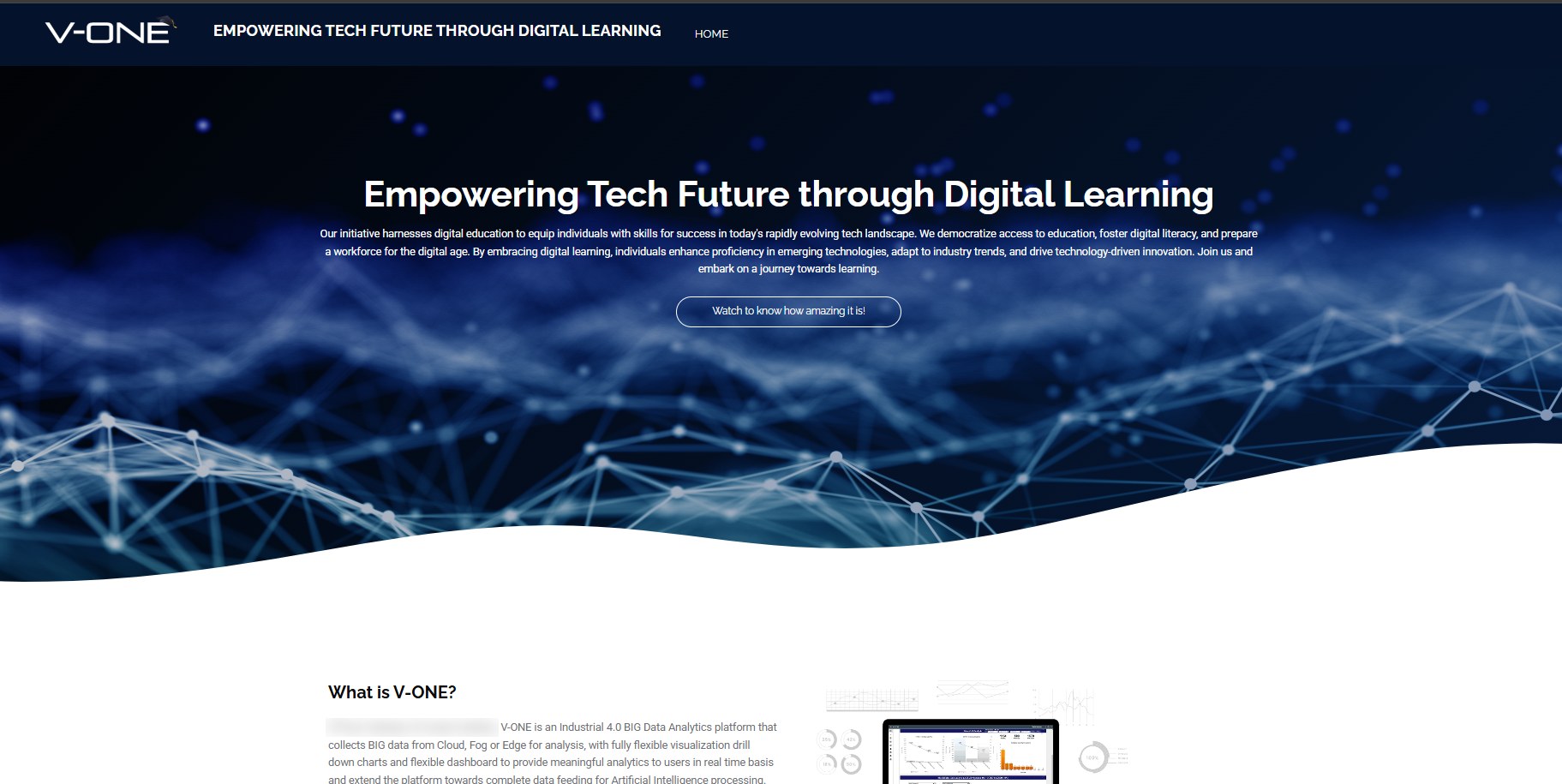
V-ONE Digital Platform home page: Empowering Tech Future through Digital Learning

Team lead

V-ONE Digital Platform

University students and partner companies ยท ~100 users

  • Led a four-person team, working with Business Development and an external partner, to turn a partner agreement into a working training platform.
  • Built the platform from the ground up and produced 45 course videos in English and Malay.
4people led
45course videos
2languages
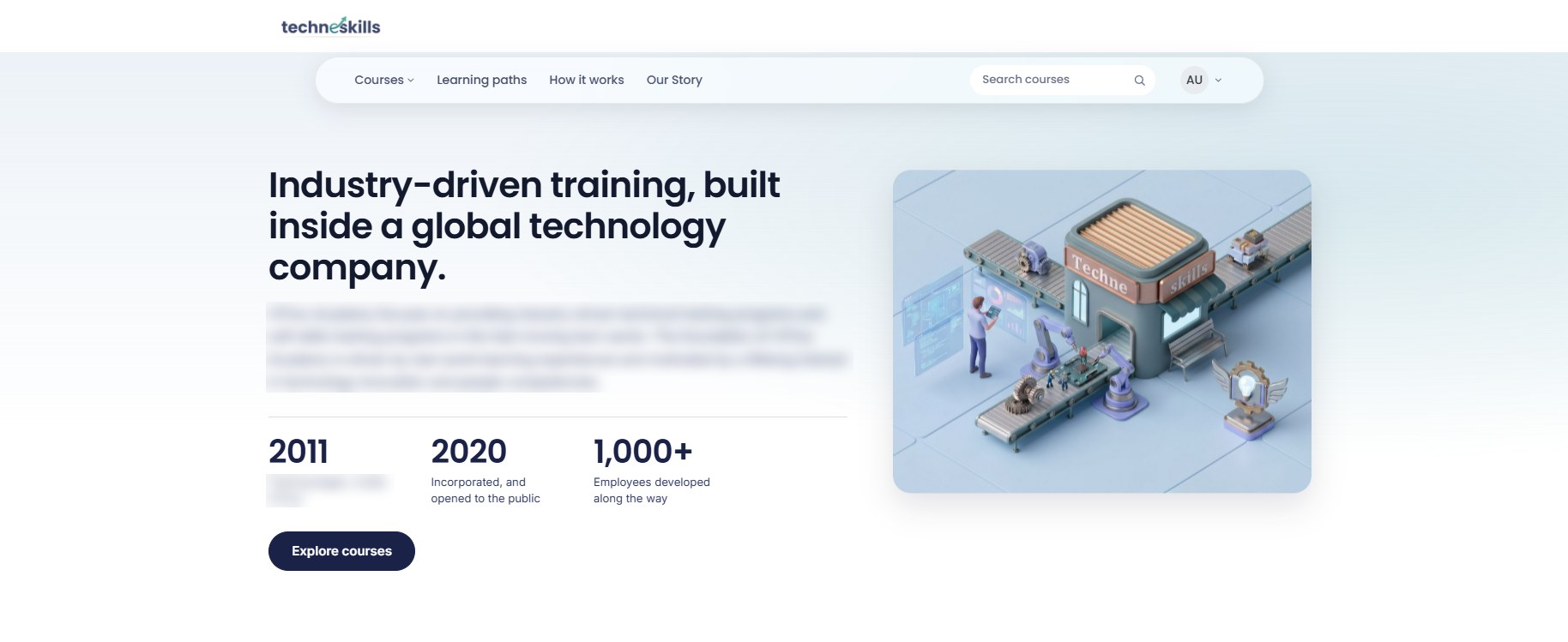
TechneSkills home page: industry-driven training

Solo build

TechneSkills

External partner companies ยท launched 2026

  • Planned, built and launched a learning platform for partner companies, opening a new channel to train partners and sell courses outside the company.
  • Designed and published 30+ courses on my own, from outline to launch.
1person, end to end
30+courses published
Newrevenue channel
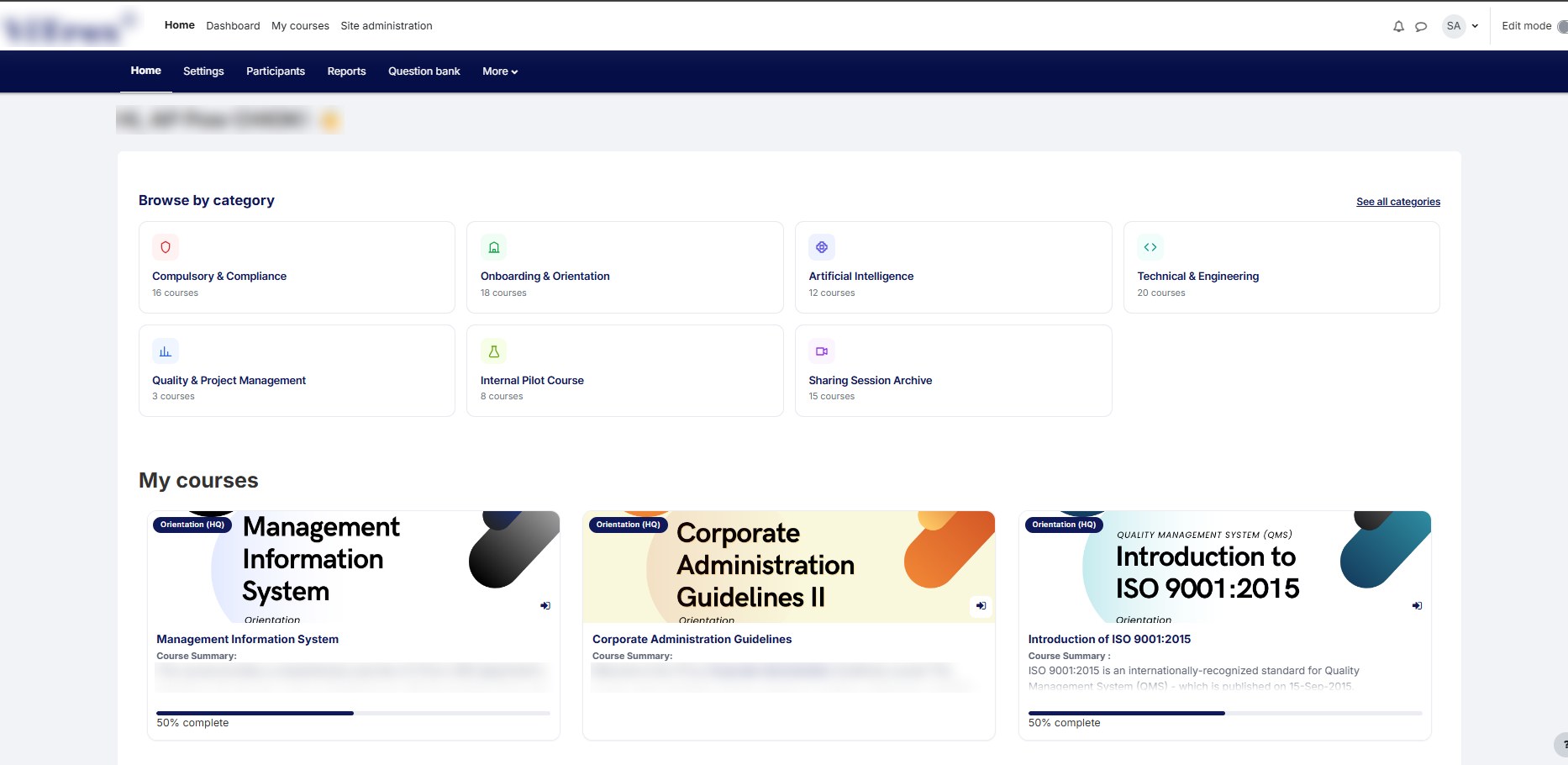
Company learning management system dashboard with course cards

Handled independently

Company Learning Management System

Employees in Malaysia and overseas ยท 2,000+ registered users

  • Manage content requests from start to finish: review, update, upload and publish.
  • Build and maintain paid e-learning courses in Rise and Storyline, packaged and uploaded as SCORM.
2,000+registered users
1admin, me
SCORMcourses built and uploaded